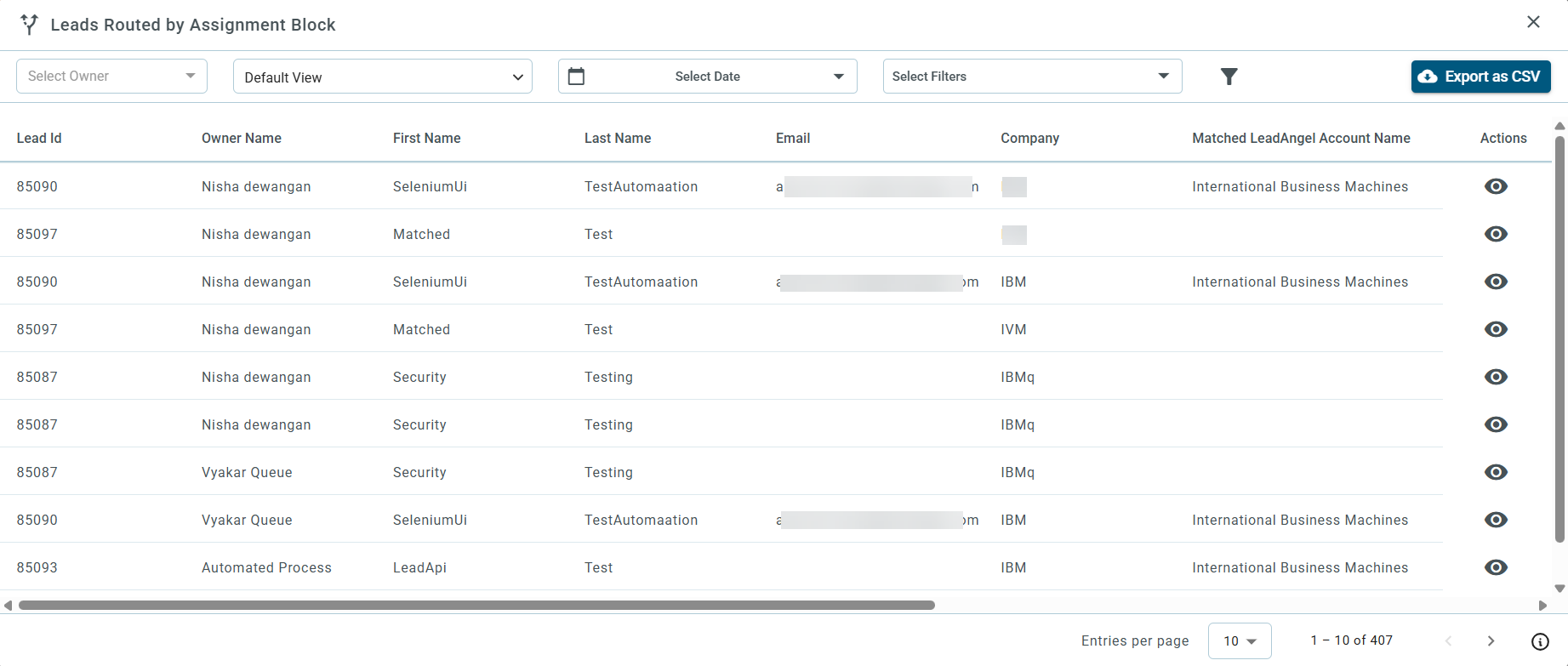
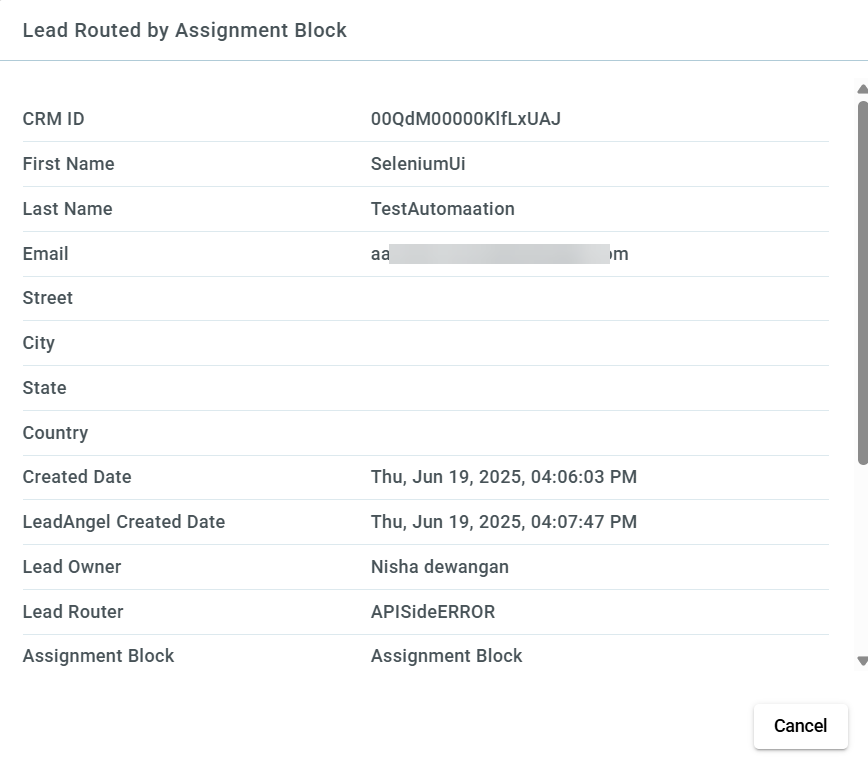
This report shows the total count of leads routed in the previous month based on the Assignment Block.
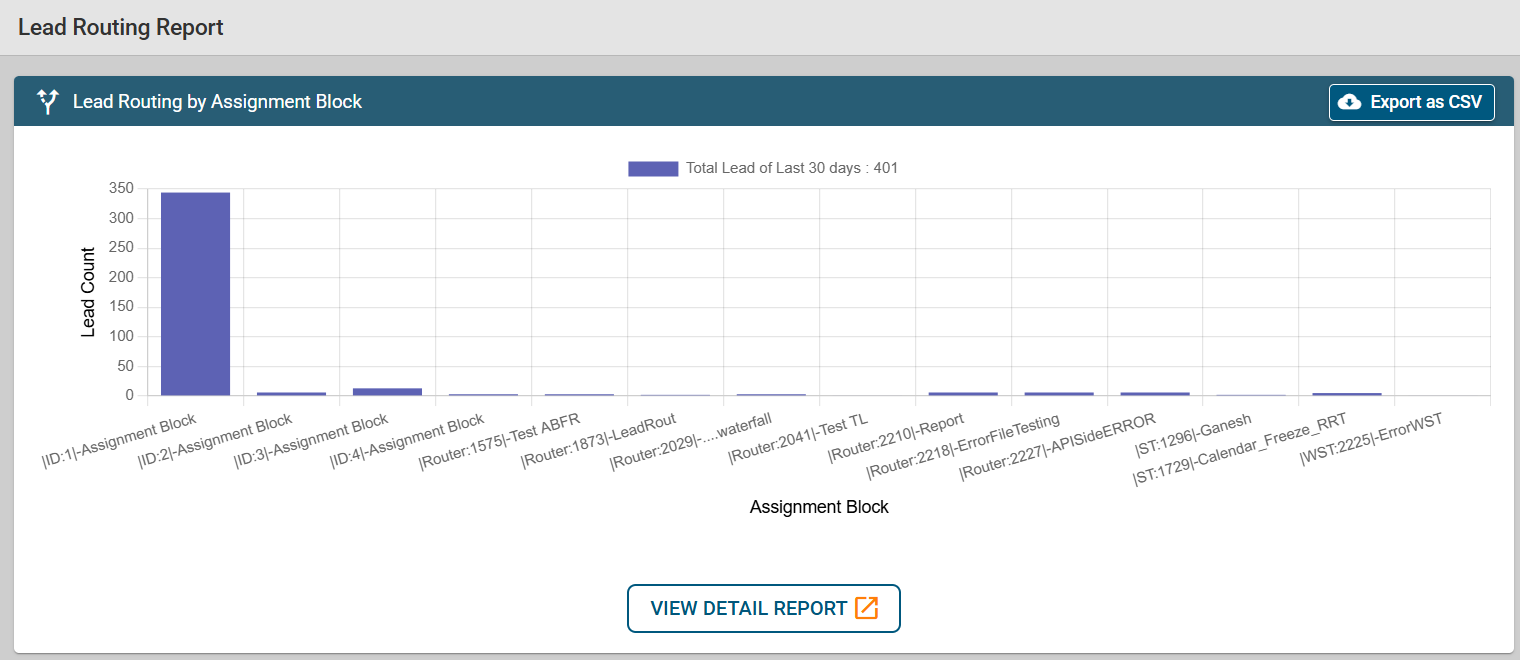
While you click on View Detail Report, you will be able to filter Lead owner, time period, or Assignment block metrics to view Lead routing detailed information.
The default view can be changed and personalized. You can click on the dropdown of the default view and Add New View ‘+’ will be displayed. Select it to get a more personalized view.
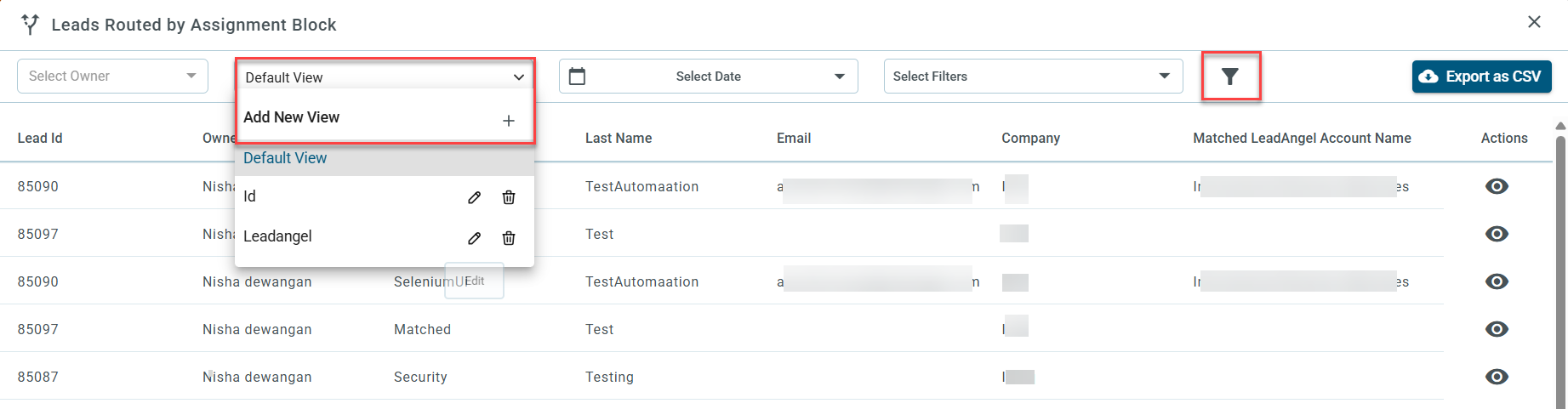
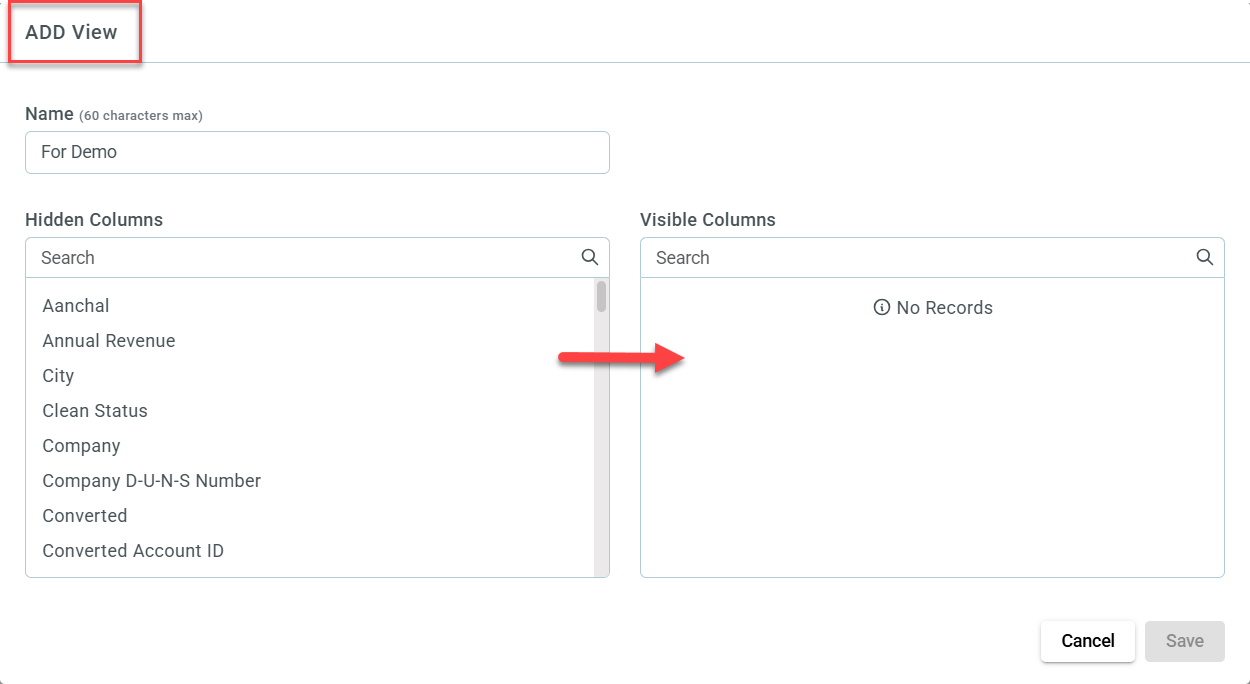
ADD view dialogue box will be displayed. Enter a Name and click on the attributes listed in the Hidden columns that you want to see in detailed information. As you click It will automatically move to Visible columns. Click on Save.
Those fields you selected above will appear in the detailed report section.
To see the lead details along with the meeting status, click on the action button.
Note:
Meeting Booked status is only applicable when a lead has been routed using "Web to Lead" routing. If a meeting has been scheduled by the user, the status will appear as yes. If the meeting has not been scheduled or cancelled then the status will appear as No.