The API Routing Report displays the history of total Leads/ Accounts/ Contacts/ Opportunities routed through the APIs. The time period can be filtered into weekly, monthly, half-yearly, and yearly metrics.
By default, API Routing Report shows the Lead report and the time period is selected weekly.
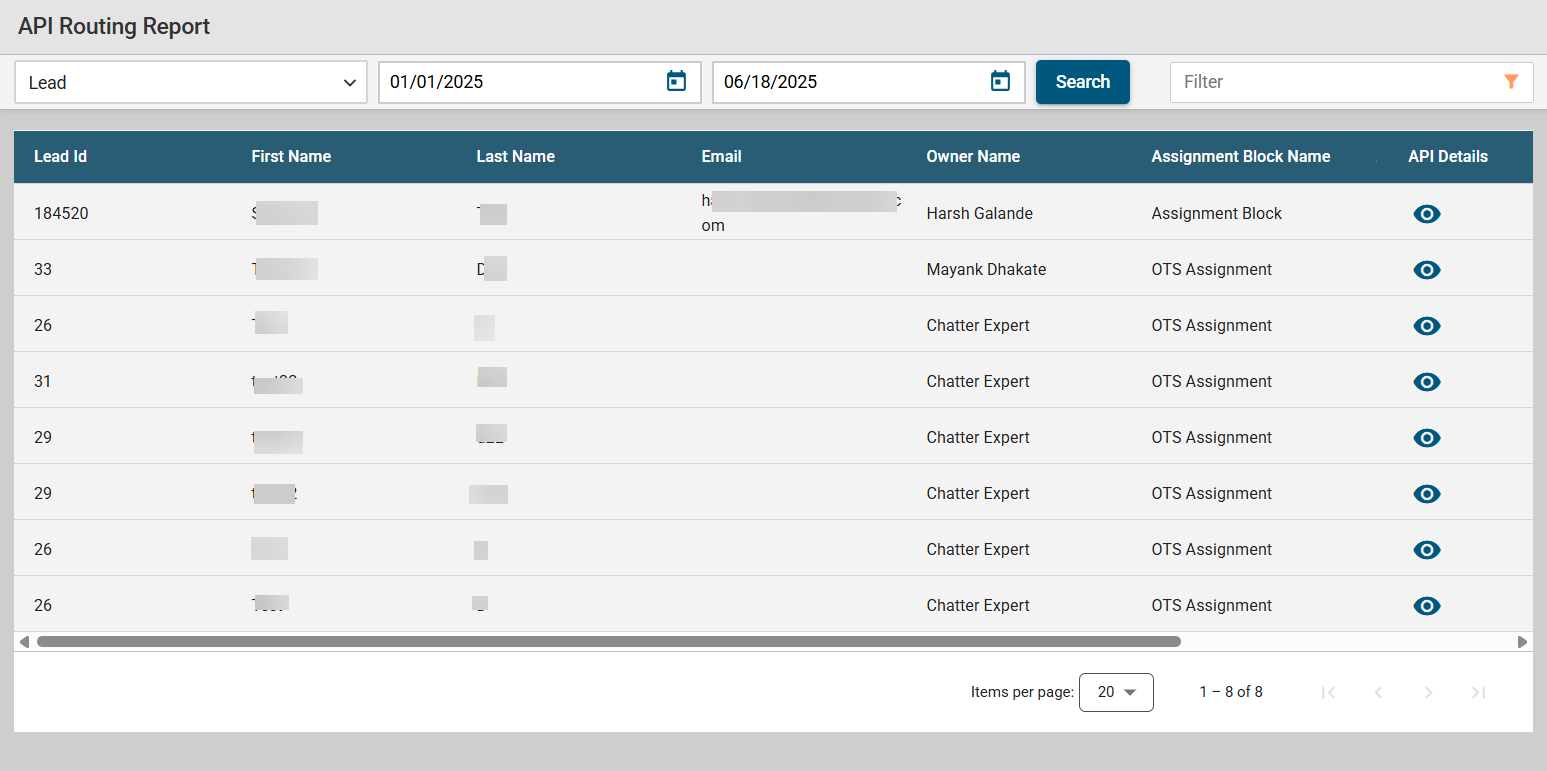
You can select Contact/ Account/ Opportunity Report from the drop-down list, select the time period that you want to see and click on the search button. The report list will be shown with the API Details.
You can see the API Details and their response time by clicking on the API Details icon.
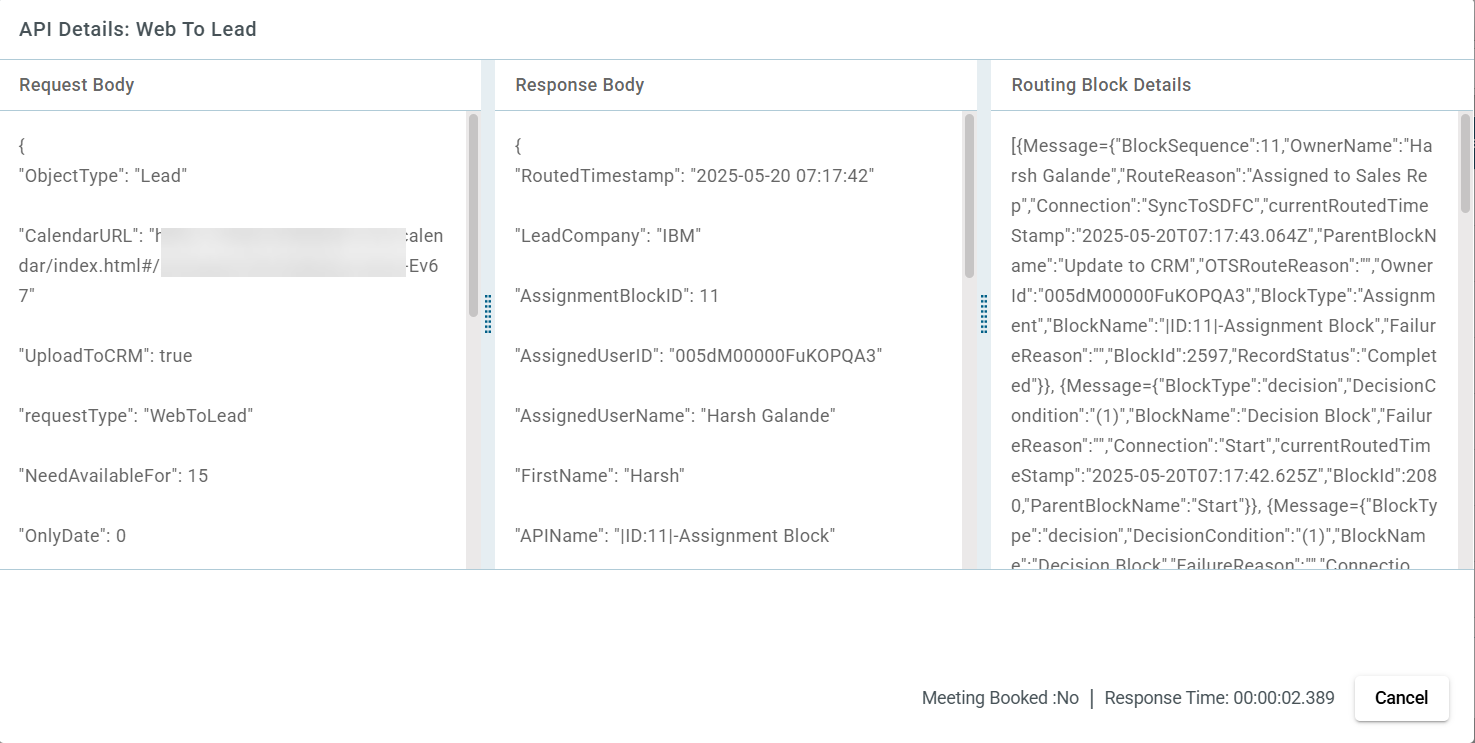
Meeting Booked status is only applicable when a lead has been routed using "Web to Lead" routing. If a meeting has been scheduled by the user, the status will appear as yes. If the meeting has not been scheduled or cancelled then the status will appear as No.