A CRM Lead Filter is used to filter leads directly from your CRM system.
Multiple approved CRM Lead Filters can be used in the canvas while creating a routing territory.
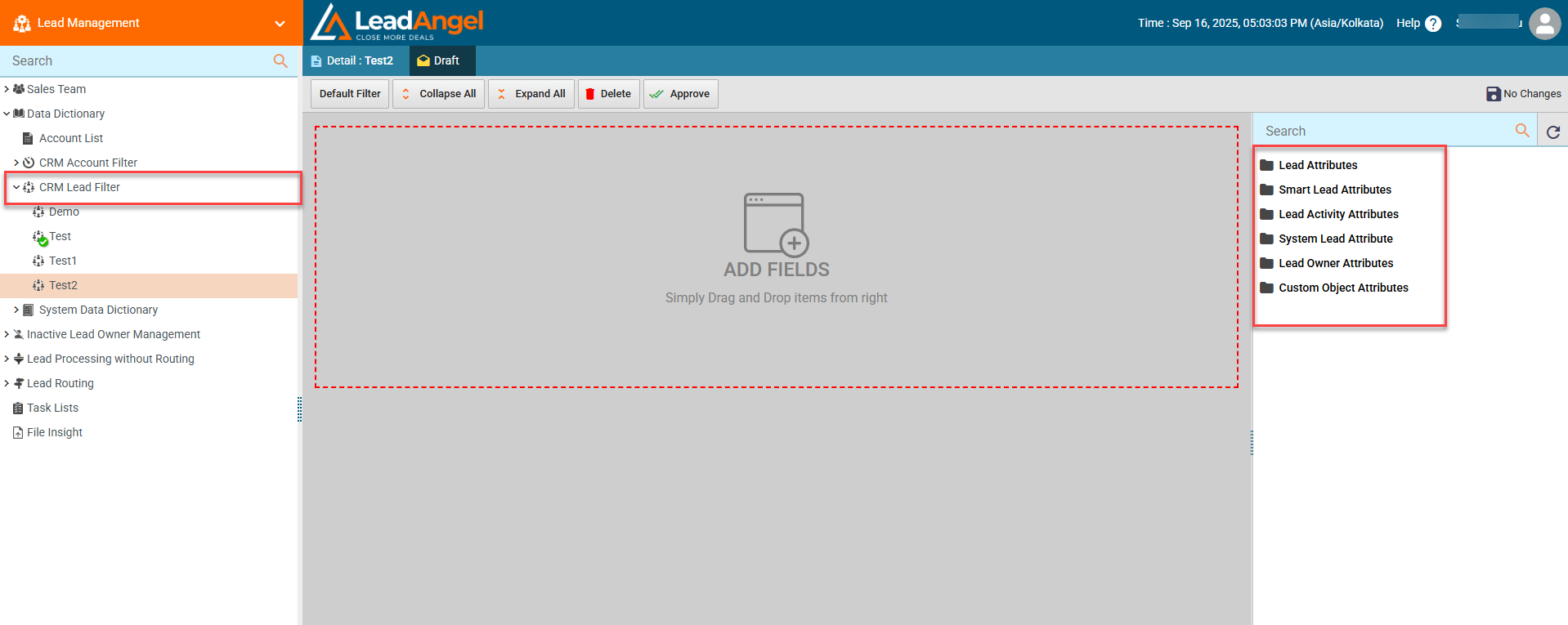
¶ How is a CRM Lead Filter defined?
A CRM Lead Filter is defined based on the list of attributes returned from the CRM for a specific lead or contact.
All available attributes from your CRM or Salesforce can be used as filters.
You can either:
- Use the default filters
- Or customize filters to control how they are combined
Note: Custom Object Attributes is only visible when you have selected Lead in the Related to section under CRM Custom Object Sync to enable lead filtering based on Custom Object attributes for more accurate and flexible Lead Routing.
- On selecting Custom Object Attributes, all fields of the mapped Custom Object become available.
- The filtering logic works the same as existing Lead filter attributes.
¶ Lead Attribute:
- Stores basic lead details such as name, email address, phone number, and company.
- Used to identify and qualify leads within the CRM.
- Helps in routing, filtering, and segmentation of leads.
- Can be updated through assignments, workflows, or data update actions.
¶ Smart Lead Attribute:
- Allows filtering and matching of every possible lead variation.
- Dynamically evaluates leads based on behavior, rules, and logic.
- Enables precise segmentation and intelligent decision-making.
- Ensures accurate routing and automation without manual effort.
¶ Lead Activity Attributes:
- Captures interaction-related data associated with a lead’s engagement history.
- Includes details such as last activity date, activity type, and number of interactions.
- Helps track how recently and how frequently a lead has been contacted or engaged.
- Commonly used in routing, prioritization, and escalation logic.
¶ System Lead Attributes:
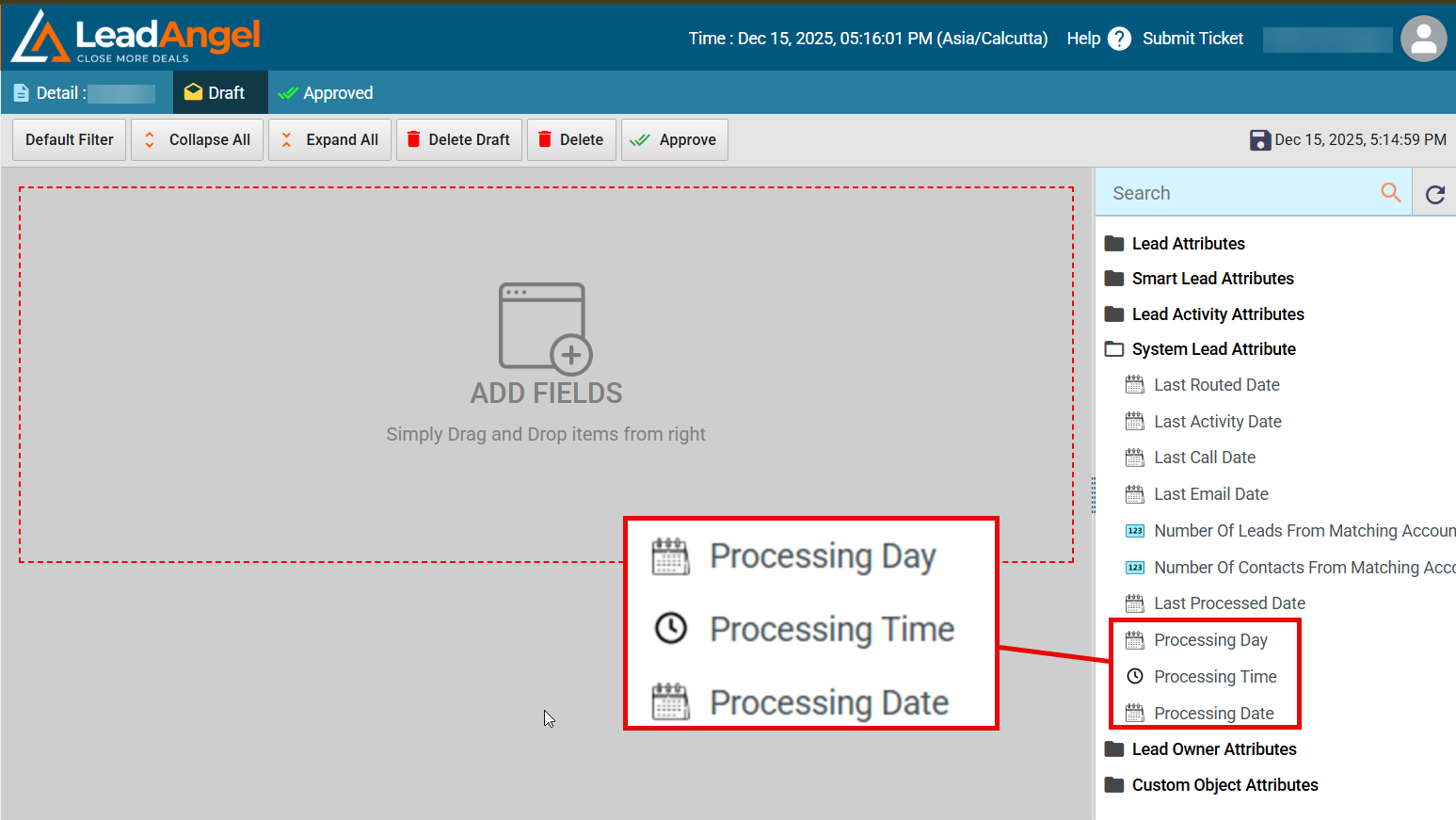
- System Lead Attributes are system-managed fields used internally for routing, processing, and automation logic.
- Routing can be configured based on the processing day, such as sending leads to sales reps on weekdays and to a queue on weekends.
- Routing can also be driven by processing dates, including company-defined or regional calendar holidays.
- Time-based routing allows leads to be assigned only during processing time (for example, 8:00 AM–5:00 PM).
- Leads that fall outside the defined days, dates, or times and many more ranges can automatically be routed to a queue.
¶ Lead Owner Attributes:
- Stores information related to the assigned lead owner.
- Includes details such as owner name, role, and team.
- Helps determine routing, escalation, and ownership rules.
- Supports logic based on owner availability and working hours.
¶ Custom Object Attributes:
- When routing/filtering leads, the system checks if the selected Lead field matches the mapped Custom Object field.
- If a match is found → the Lead is qualified for routing based on custom object lookup.
- If no match is found → the Lead will be routed to the secondary assignment condition selected in the assignment block, along with the "Route Leads Based on Custom Object Lookup" option.
- When multiple Custom Objects exist, the system applies the configured preference (Oldest or Newest Record) to decide which record is used.
¶ Examples
- Qualified Lead
- Lead.Email = john@leadangel.com
- Custom Object.GuestEmail = john@leadangel.com, Country = USA
- Filter: Custom Object.Country = USA and Lead.Email=Custom Object.GuestEmail
- Result: Lead is qualified for custom object based assignment.
- Not Qualified (Condition Mismatch)
- Lead.Email = john@leadangel.com ,Lead.Country = IND
- Custom Object.GuestEmail = john@leadangel.com, Country = USA
- Filter: Custom Object.Country = Lead.Country
- Result: Lead is Not qualified for custom object based assignment and it route to the secondary assignment option selected in the assignment block.