¶ What is Inactive Lead Owner Management?
Inactive Lead Owner Management helps managers reassign leads owned by inactive sales reps to active sales reps. This ensures leads are always managed by active team members.
¶ How does Inactive Lead Owner Management work?
It picks up leads from inactive owners and reassigns them based on predefined rules. Reassignment can be done either:
- One-time reassignment: Leads are reassigned once according to the rules.
- Scheduled reassignment: Leads are reassigned repeatedly at scheduled intervals.
¶ What should I do before setting up Inactive Lead Owner Management?
You must first set up the Inactive Owner to Sales Rep mapping, which links inactive owners to active sales reps.
¶ How do I set up Inactive Lead Management?
Step 1. Sign in to app.leadangel.com.
Step 2. Go to Lead router > Inactive Lead Owner Management.
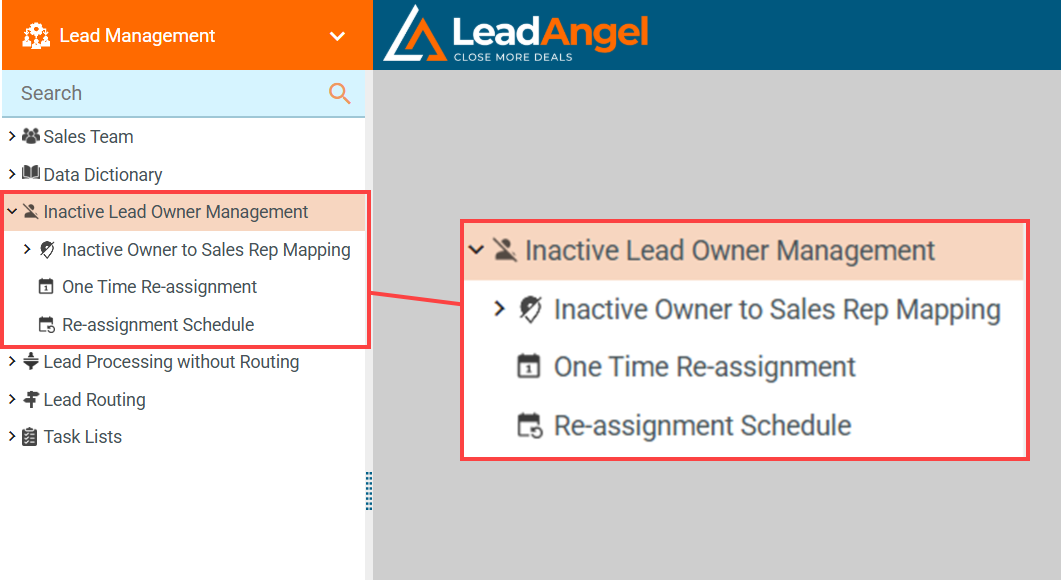
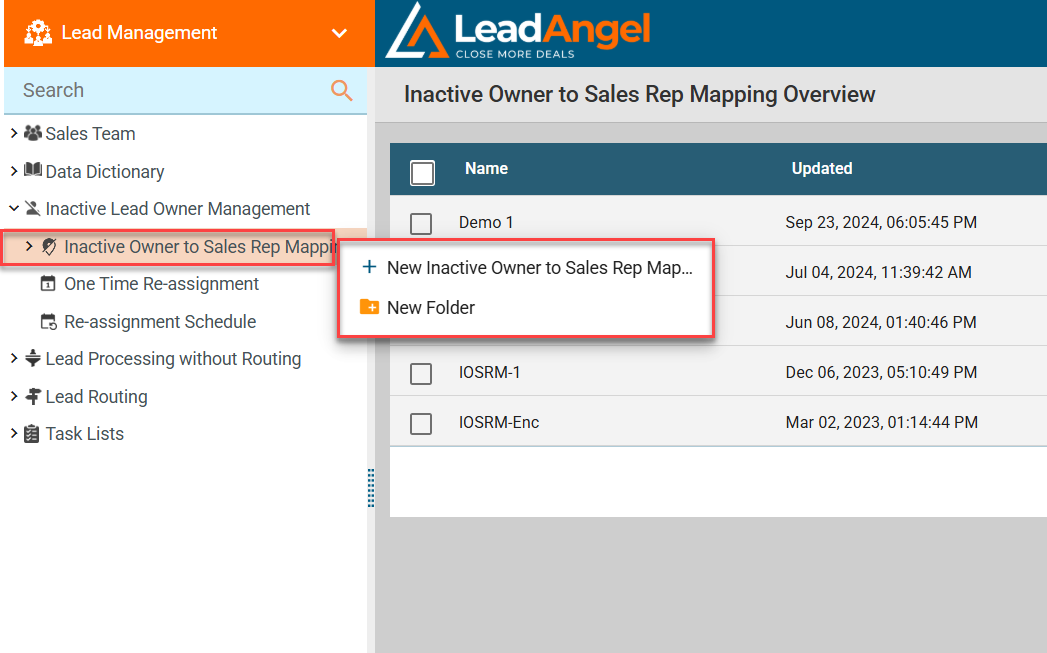
Step 3. Right-click Inactive Owner to Sales Rep Mapping, then select New Inactive Owner to Sales Rep Mapping.
Step 4. Enter a name and description, then click Save.
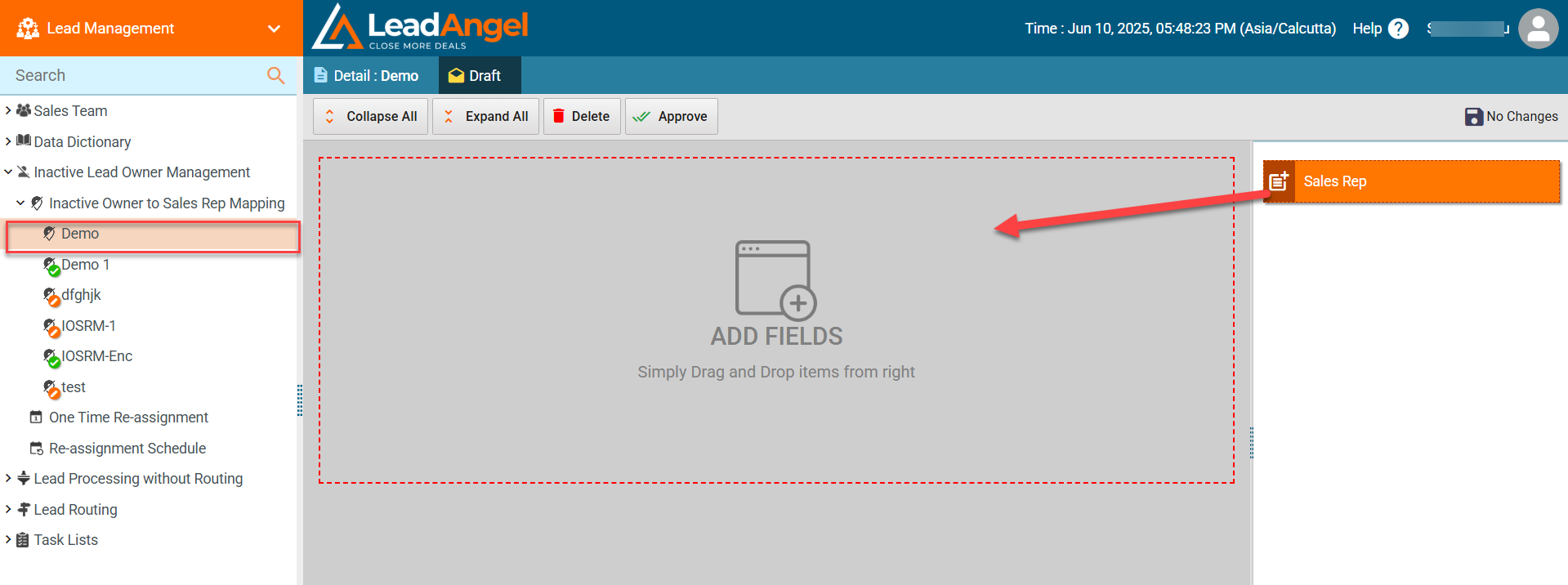
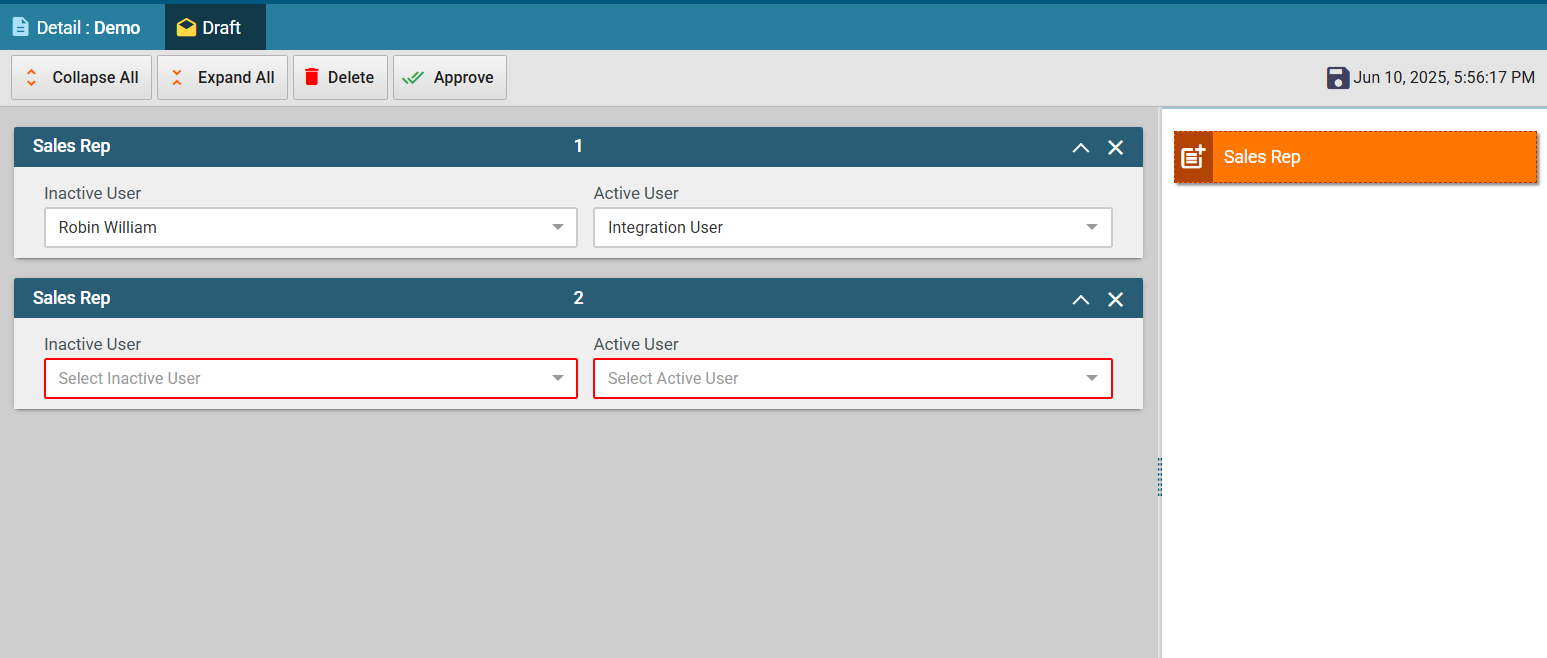
Step 5. Drag and drop sales rep fields from the right-hand side and map inactive users to active users.
Step 6. For One-time Reassignment, choose an option:
- Re-route leads with active router: Uses current active router.
- Re-route leads to sales person: Select a sales rep from the dropdown.
- Route leads to inactive owner’s manager: Assign to the manager of the inactive owner.
- Re-route to new owner based on mapping: Use the inactive-to-active mapping.
- Re-route to Router: Assign to a selected approved router.
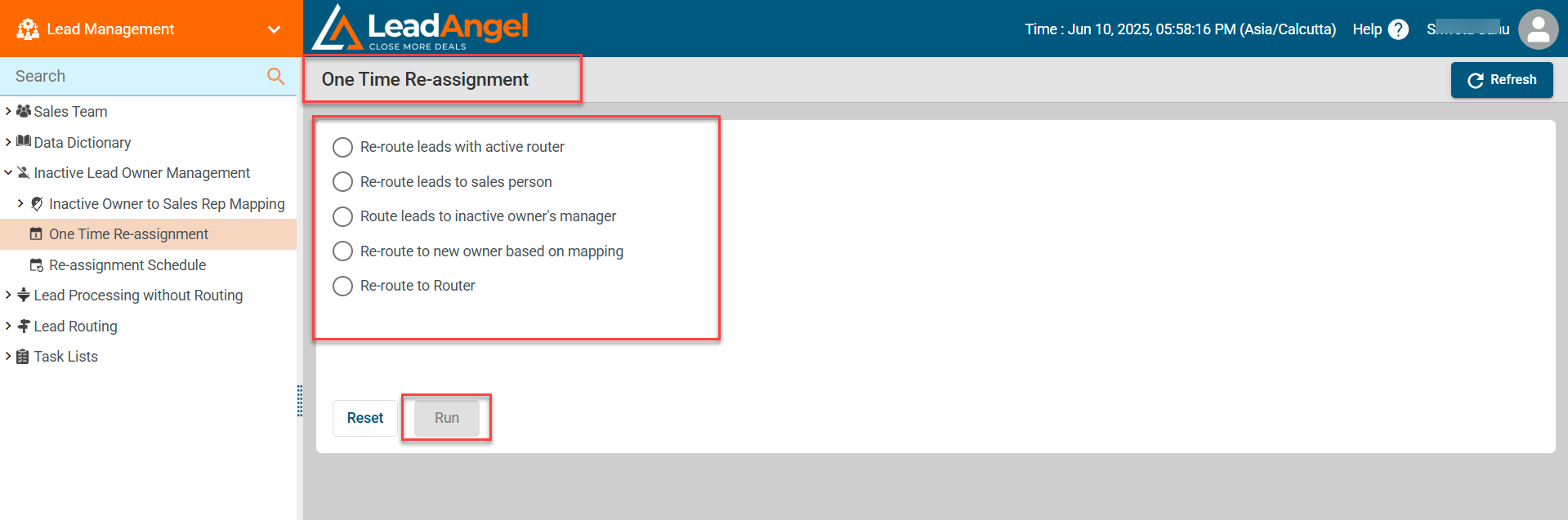
Click Run after selection.
- Use Reset to undo your selection.
- Status will show Completed when done.
Step 7. For repeated reassignment, select Re-assignment schedule and pick the same options as above.
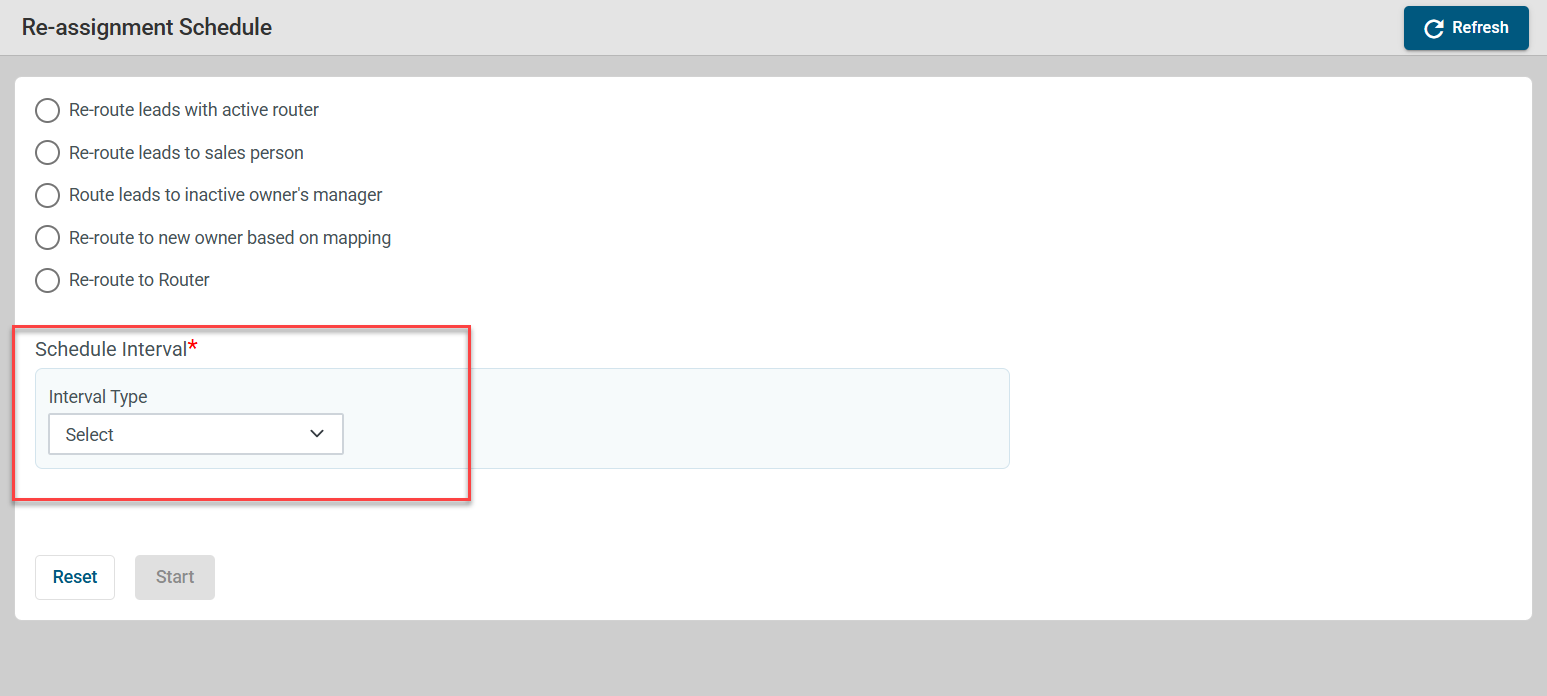
Step 8. Set the interval type (Daily, Weekly, Monthly) and specify the time, day, or date.
Step 9. Click Start to activate the schedule.
¶ What happens after the setup?
Leads owned by inactive sales reps will be reassigned automatically based on your settings, keeping lead management up-to-date without manual effort.