¶ What is Lead Processing Without Routing?
This feature suggests a Lead Owner by pre-filling and identifying the owner instead of automatically changing the lead owner. It works like the lead router but only recommends the owner without updating the record.
¶ How does it differ from lead routing?
Unlike lead routing that changes the lead owner, this feature only suggests the lead owner, leaving the original owner unchanged.
¶ How do I set up Lead Processing Without Routing?
- Sign in to app.leadangel.com.
- Navigate to Lead Management > Lead routing without processing.
- Right-click Lead routing without processing.
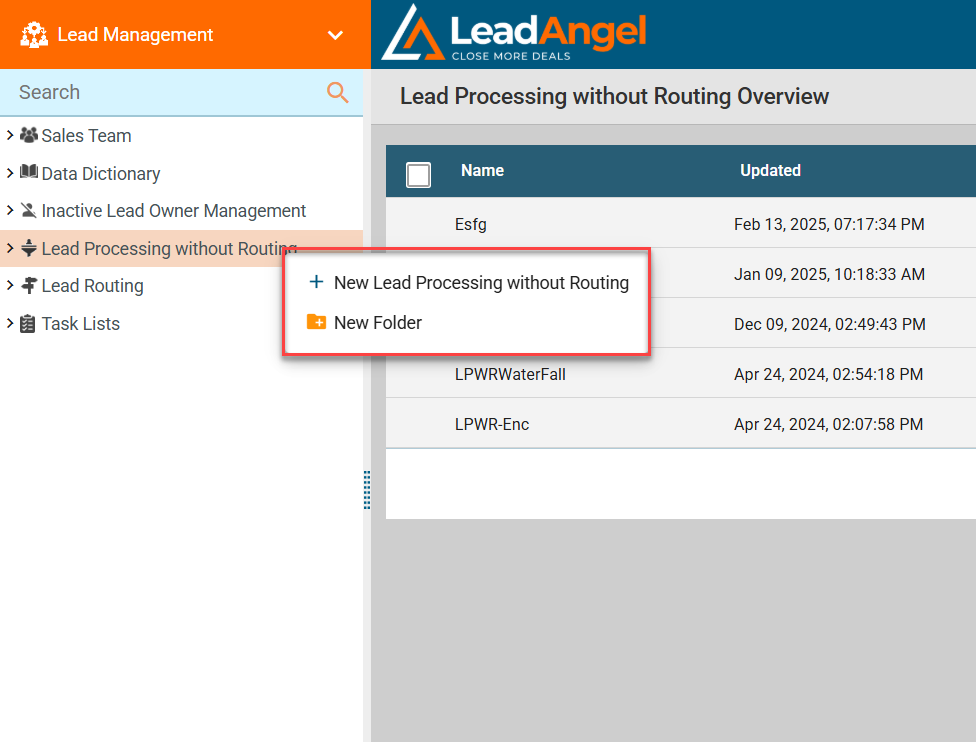
- In the Add new Lead Processing dialogue, enter a name and description, then click Save.
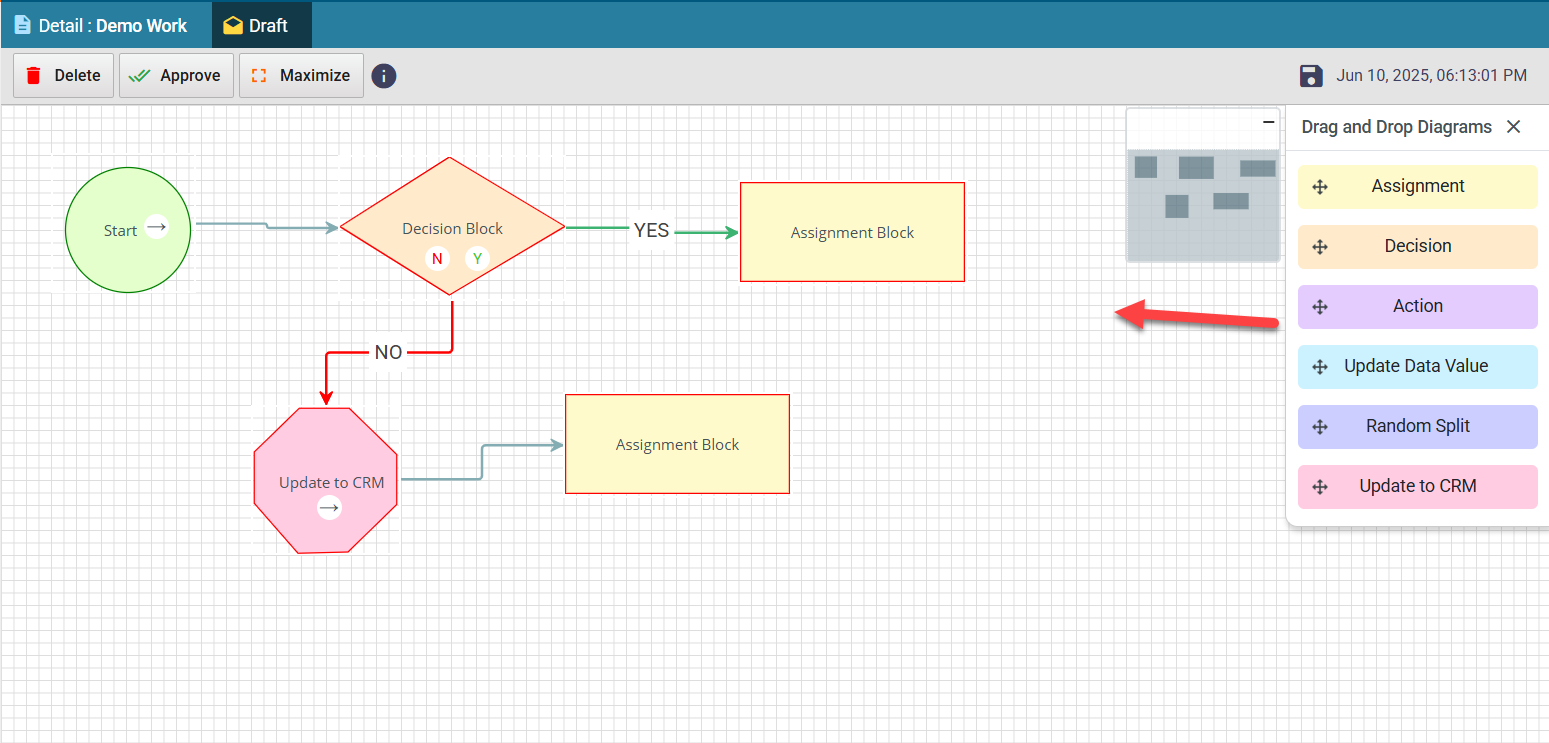
- Drag and drop the necessary blocks to create your flowchart, then approve it.
- Click on Details and choose a text field to store the suggested new owner name on the lead record.
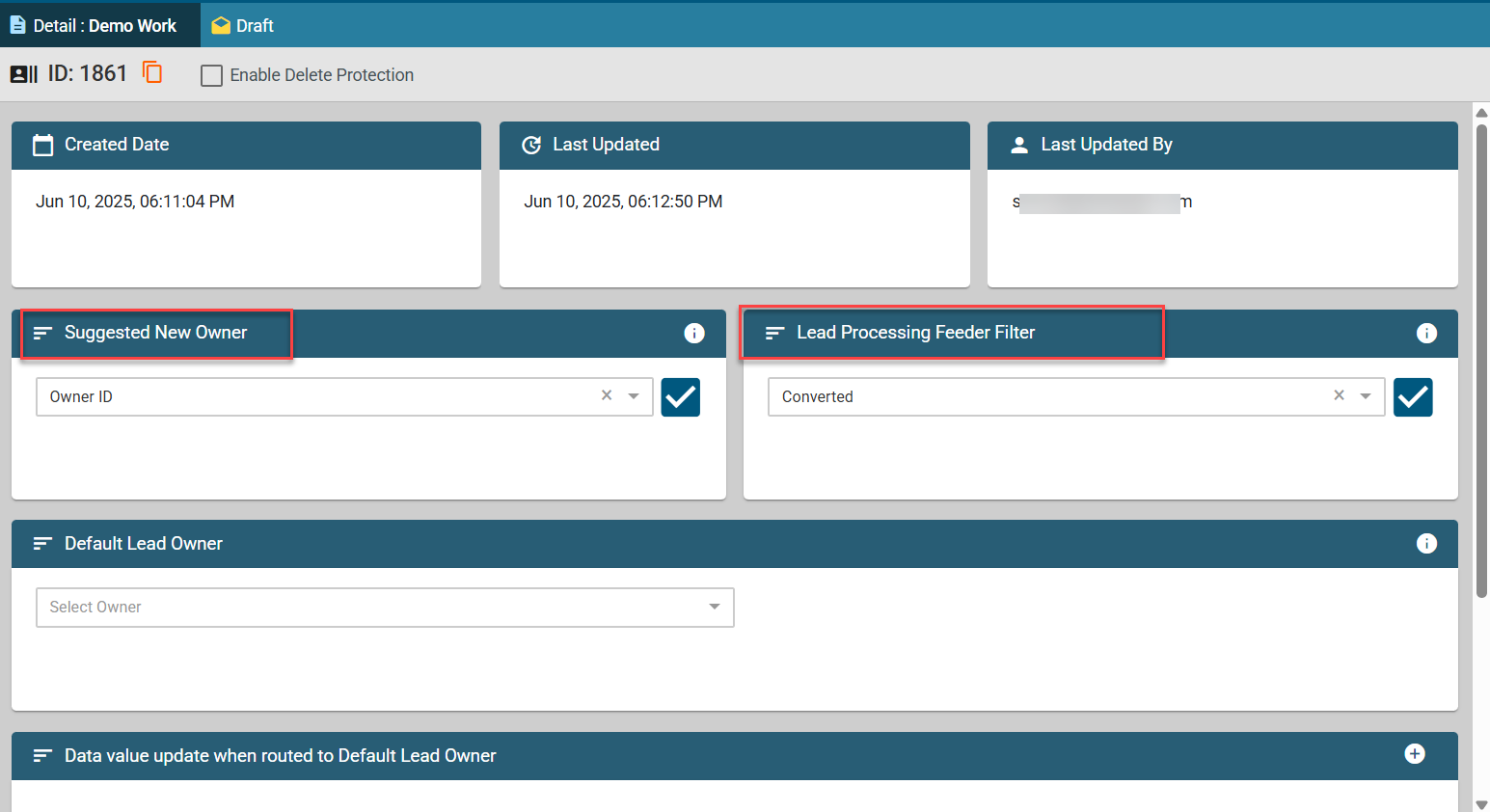
- Default Lead Owner: Select a sales rep as the default owner. If a lead does not meet any assignment condition, it will be assigned to this default owner.
- Data Value Update: When a lead is assigned to an active default owner, you can update one lead attribute to reflect in the CRM lead details. Select the attribute from the dropdown. This field will be filled with the CRM ID of the suggested new owner.
- Select the appropriate Lead Processing Feeder Filter and activate it to enable the feature.
¶ What happens after setup?
Leads processed through this feature will have a suggested owner prefilled in the CRM but will keep their original owner unchanged unless manually updated.