¶ What is Visual Opportunity Flow?
A graphical view (flowchart) that shows how an Opportunity moved through the routing stages.
¶ How do I view the Visual Opportunity Flow?
Follow these steps:
- Log in at www.app.leadangel.com
- Go to Opportunity Management
- Click on an approved Opportunity Router
(Note: Flow is visible only after router is approved)
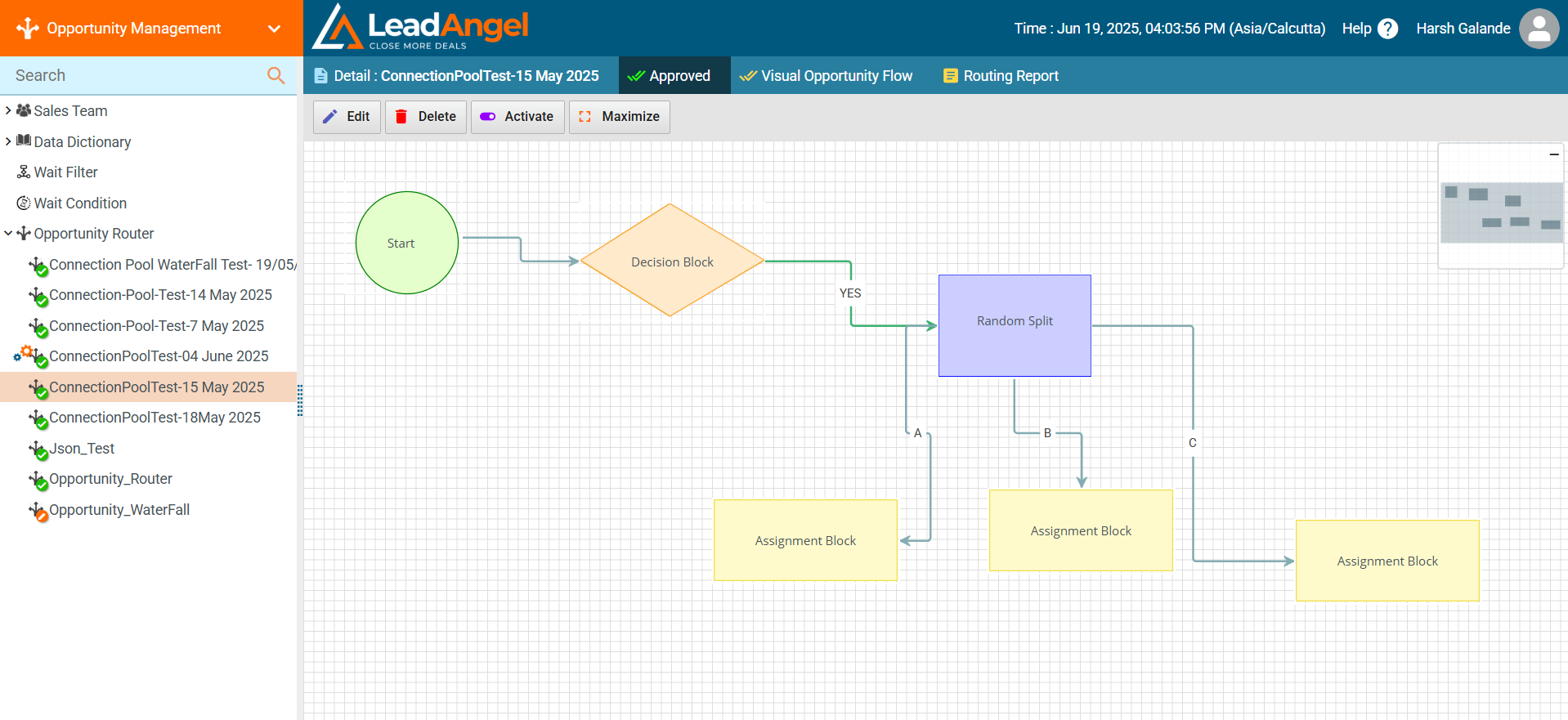
- Click the Visual Opportunity Flow tab
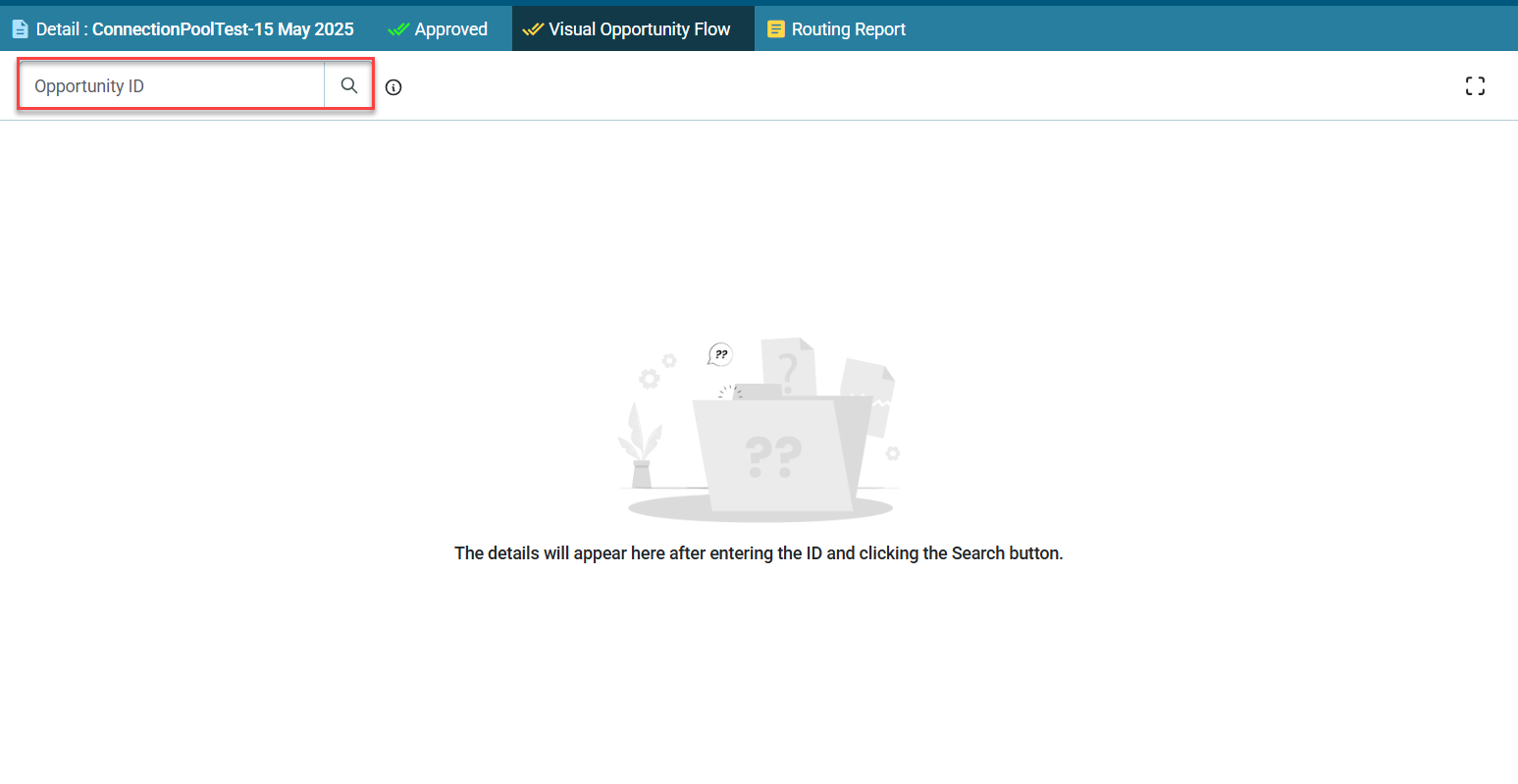
- Enter the CRM ID and click Search
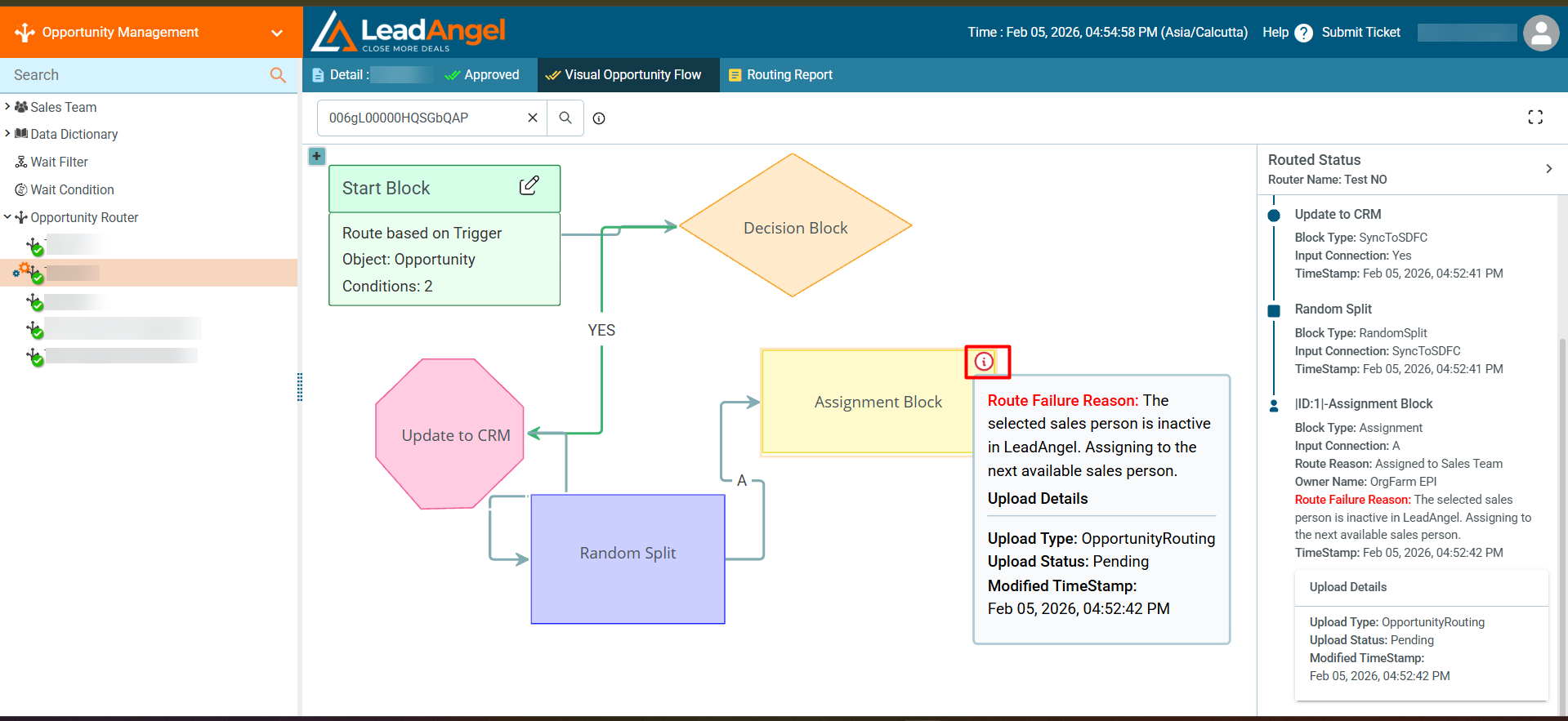
- The flowchart and routed status will be displayed
- When a red icon appears on an Assignment Block, it indicates that the upload status for that block is in “Pending” or “Error.”
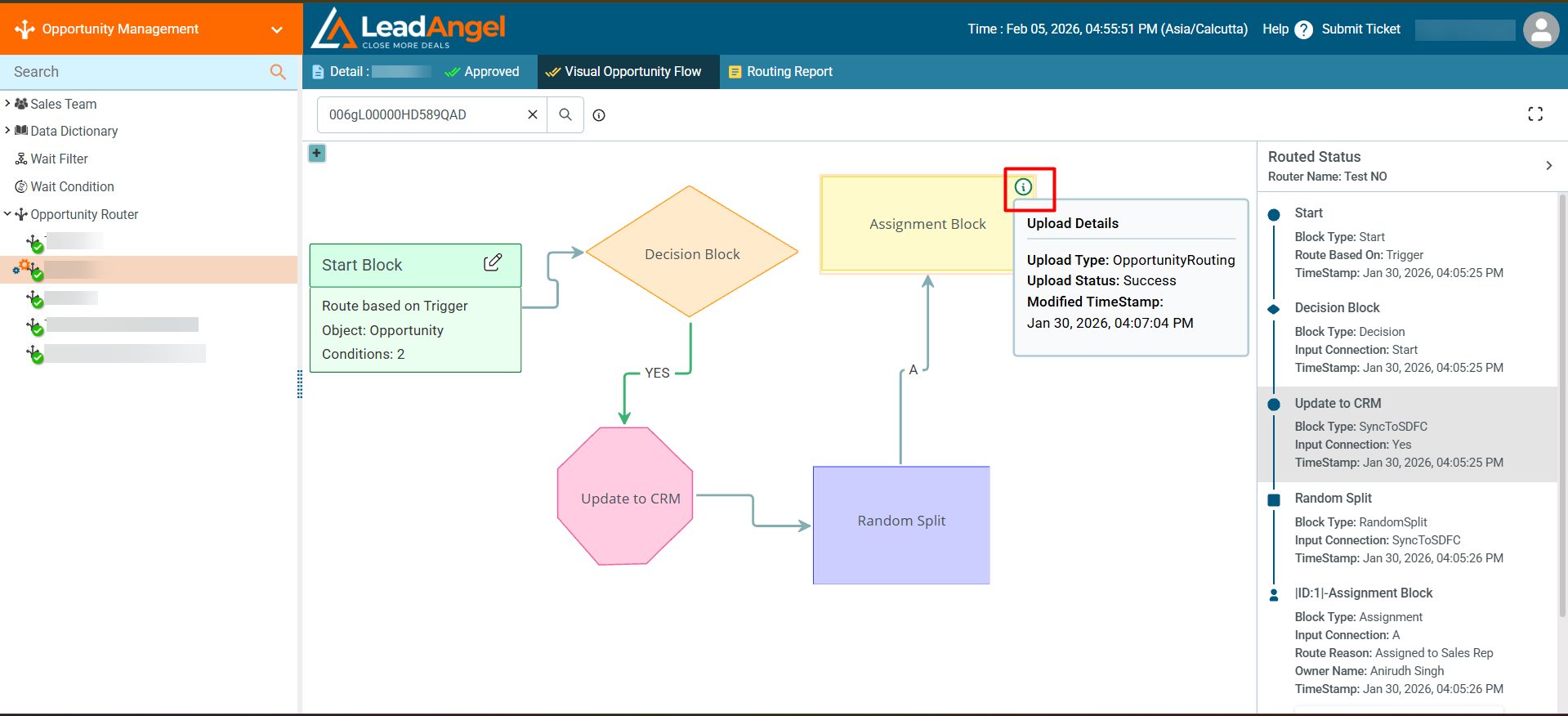
- When a green icon is displayed on an Assignment Block, it indicates that the upload status for that block has been successfully completed.
- When a red icon appears on an Assignment Block, it indicates that the upload status for that block is in “Pending” or “Error.”
¶ What is the Visual Flow Report?
It provides summaries and detailed insights for each approved block that the Opportunity has passed through.