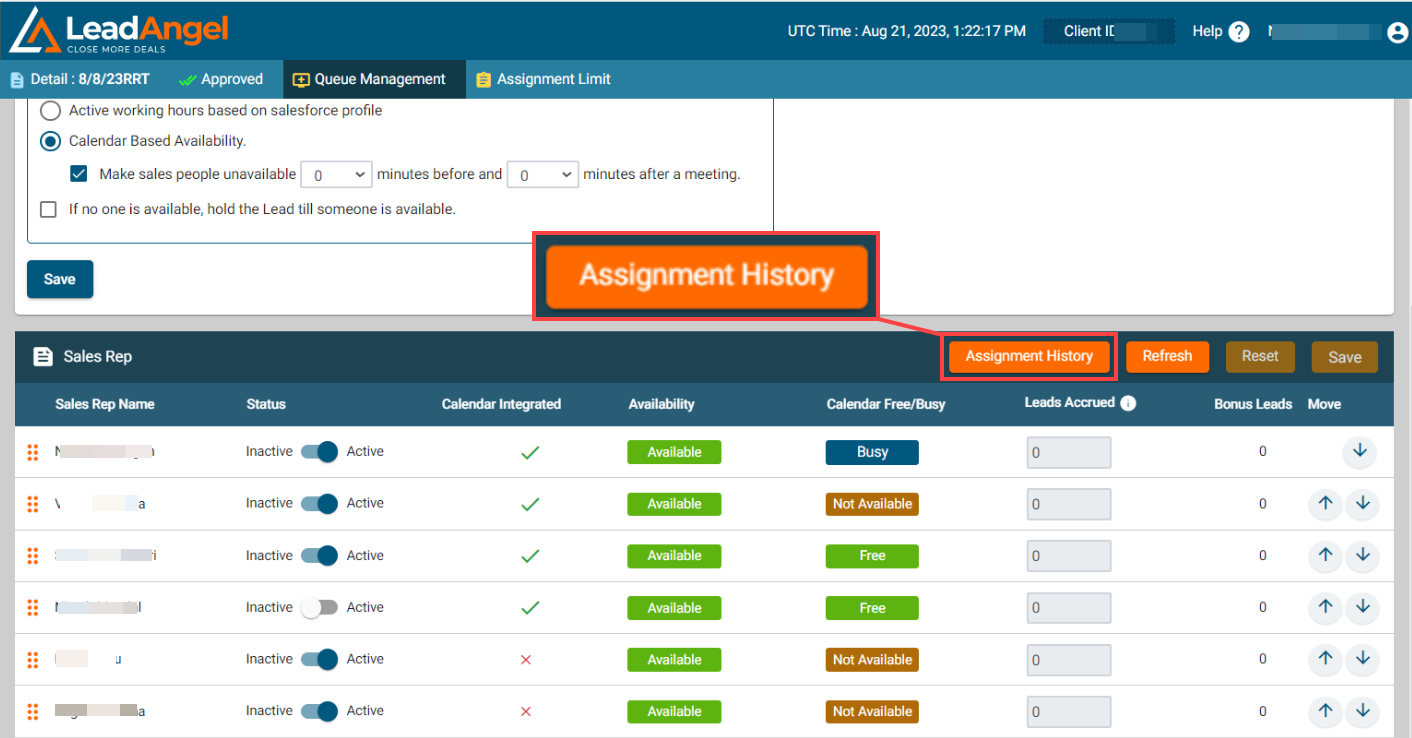
It shows the assignment history report on the Lead/ Contact/ Account/ Opportunity of the selected sales rep in a queue, to view the report follow these steps:
- Go to an object for which you want to view the assignment history report.
- Click on the Sales Team, and select a Round Robin Sales Team.
- Click on Queue Management.
- Now click on the Assignment History button
It shows the list of sales reps with their detailed assignment history on Lead/ Account/ Contact/ Opportunity, active and inactive sales rep status, new queue position with updated date and time, their bonus lead counts, and record of skipped assignments by any sales rep.
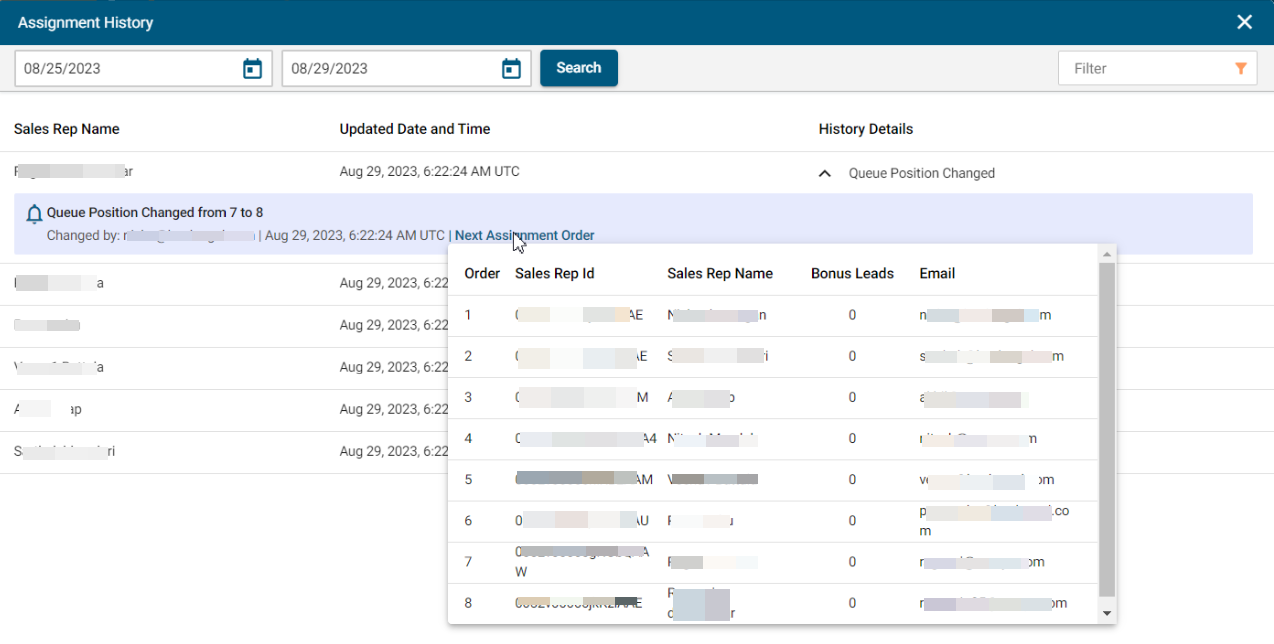
The Report is updated every time you take action on the queue and save it and when the sales team is used in an active router.