¶ Detail Tab
In the Detail tab, you can configure the sales team's queue owner and designate a Fallback Assignee, among other checkbox options.
¶ Assign a Queue Owner and Fallback Assignee
- Click on the Detail tab.
- The team creator is the default owner.
- The list of queues is now available when selecting the default owner in Sales Team and Router, in addition to sales reps.
- You can now choose a queue as the default owner. This provides greater flexibility in how leads are assigned, especially in scenarios where distribution needs to happen through a queue rather than a single user.
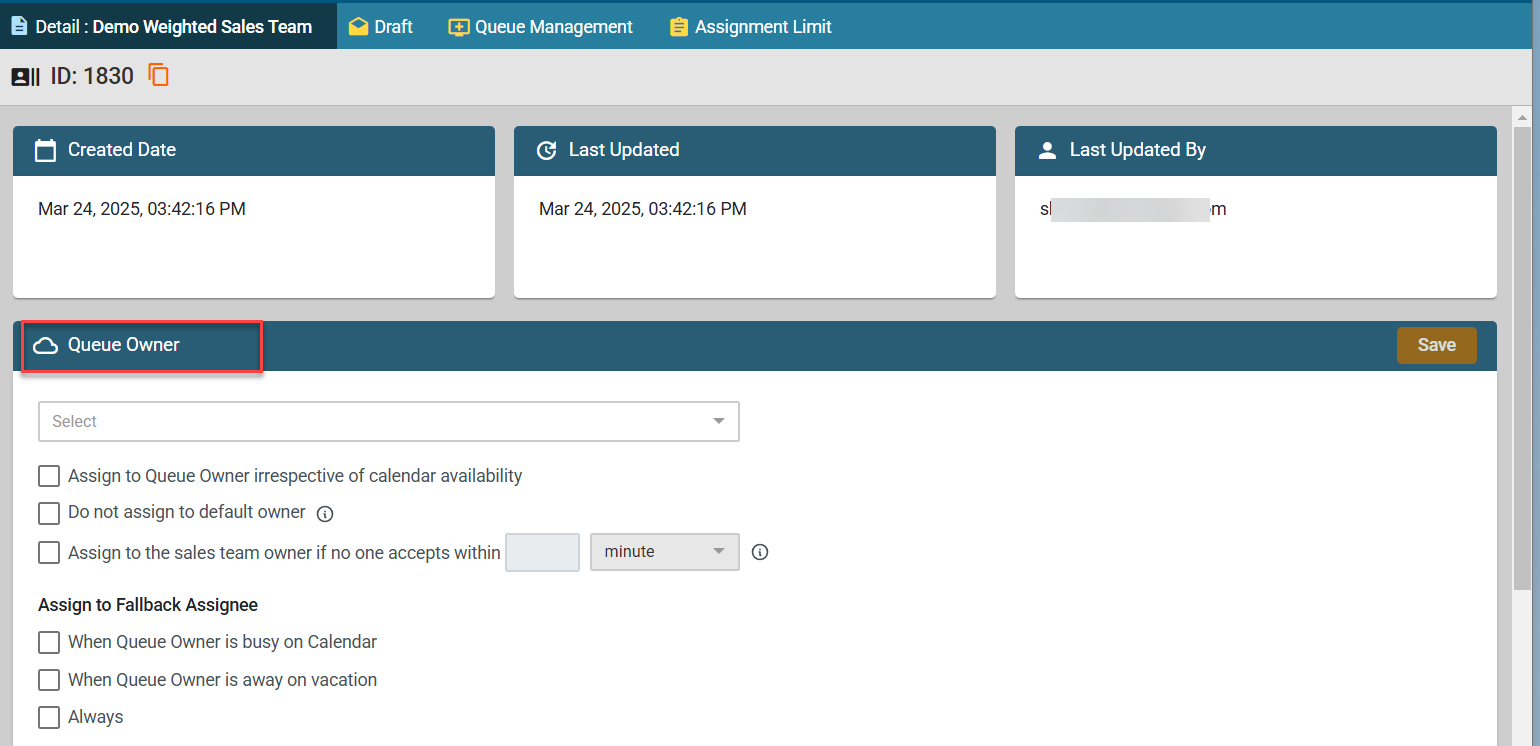
- If the “Do not assign to default owner” box is checked, the system will notify the initiator to manually route the lead if no team member is available.
- If unchecked, the system will assign the lead to the Queue Owner or, if unavailable, to the Default Owner.
- If the Queue Owner and Fallback Assignee are unavailable, the system assigns the lead to the Default Owner.
You can also enable fallback assignment:
- When the Queue Owner is busy – Assigns the lead to the fallback assignee.
- When the Queue Owner is on vacation – Routes the lead to the fallback assignee.
- Always – Always assigns to the fallback assignee when others are unavailable.