¶ Integrating Slack with LeadAngel
Integrating Slack with LeadAngel allows you to send real-time notifications to users or channels when leads, contacts, or other records are assigned. You can notify individual Slack users, public channels, or private channels (once the bot is invited).
¶ Before You Start
- You must be a LeadAngel customer and have a Slack workspace.
- You need Slack Admin access to authorize the app.
- LeadAngel can connect to one Slack workspace at a time.
¶ Step 1: Create or Select a Slack Workspace
- Go to https://slack.com/get-started#/landing.
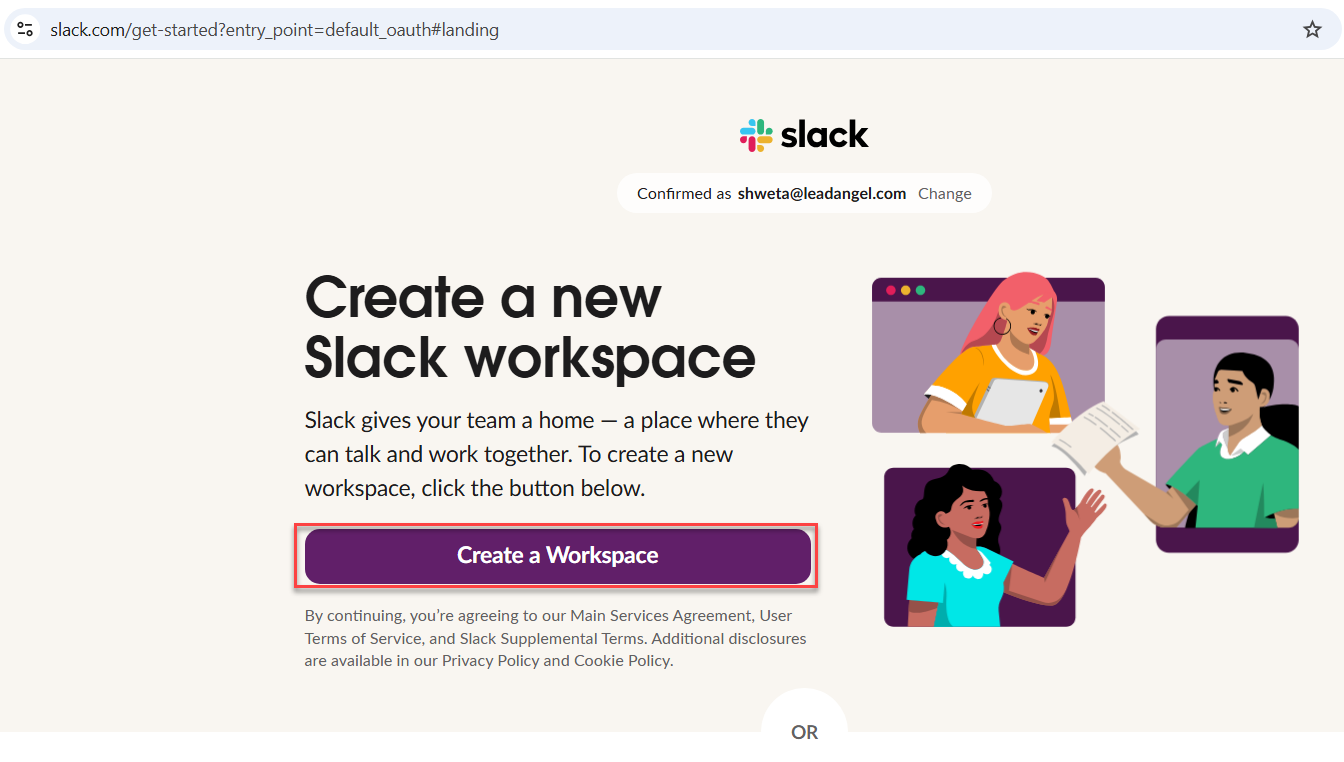
- Create a new workspace (or select an existing one).
- Copy your Workspace URL (e.g.,
https://yourteam.slack.com).
¶ Step 2: Create a Slack App
¶ Option A: Create from Scratch
- Go to https://api.slack.com/apps and click Create New App.
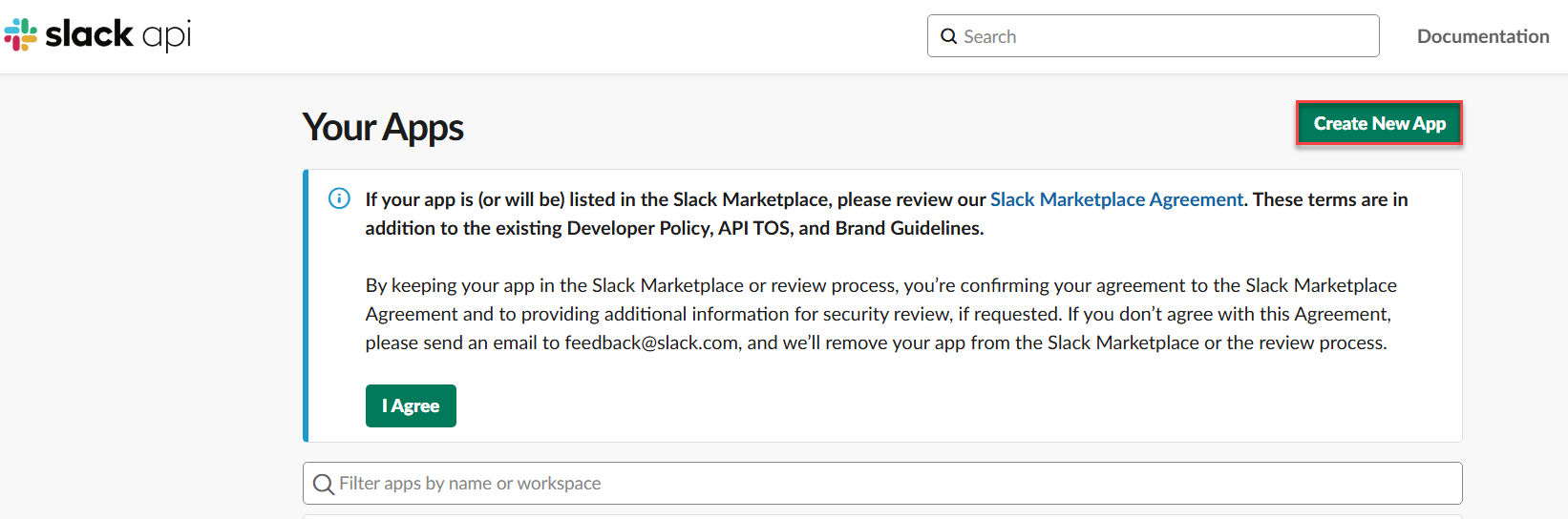
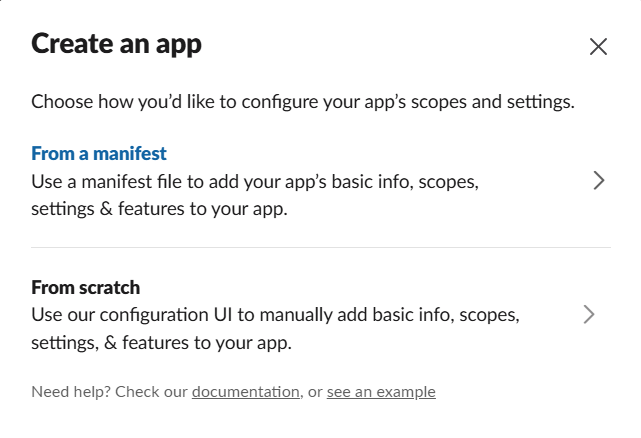
- Select From Scratch → Enter an App Name (e.g., "LeadAngel") → Select your Workspace.
¶ Option B: Create from Manifest
- Go to https://api.slack.com/apps.
- Select Create App from Manifest → Choose your workspace → Provide app details → Create.
¶ Step 3: Add OAuth Scopes for your Bot token
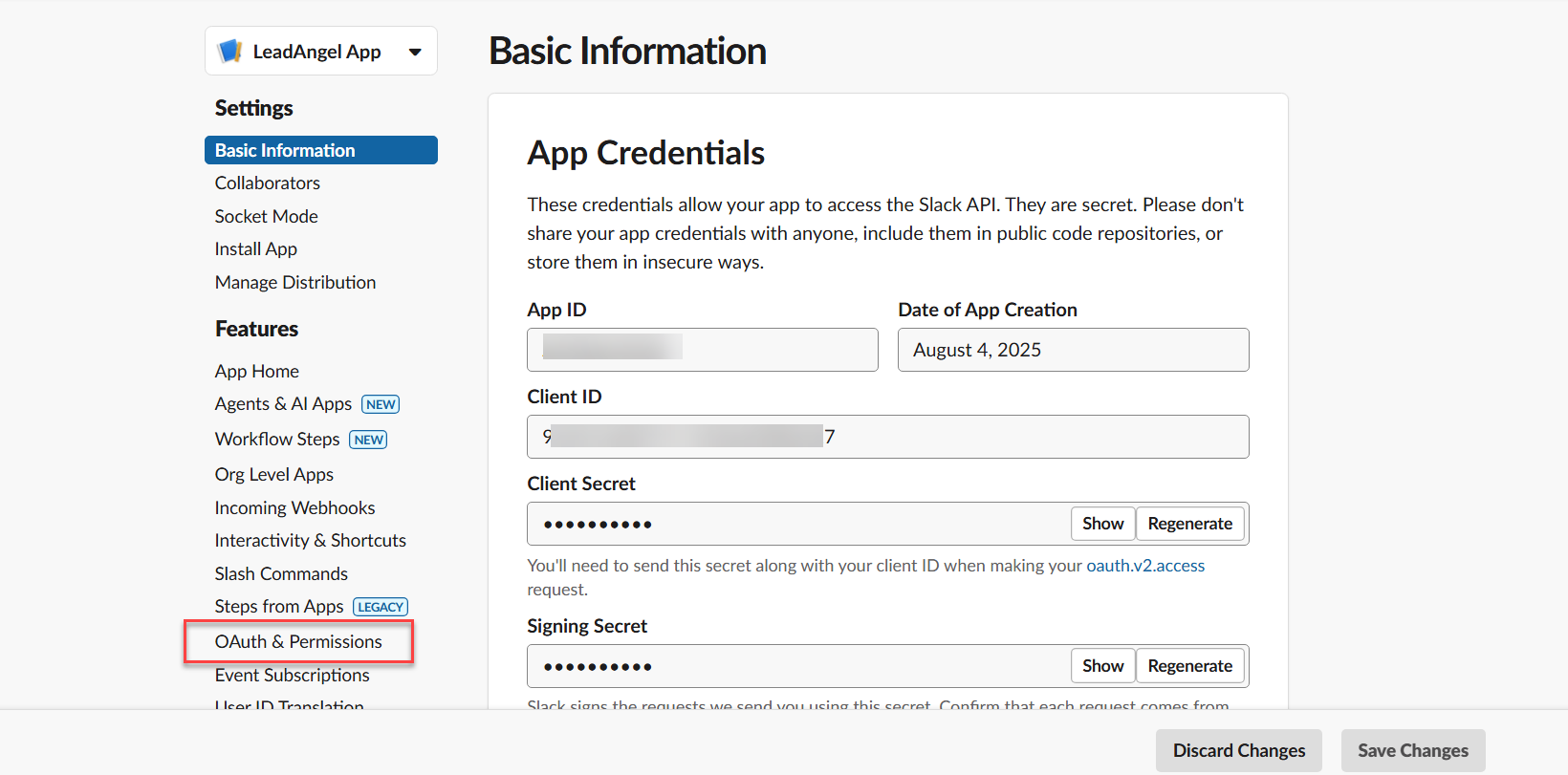
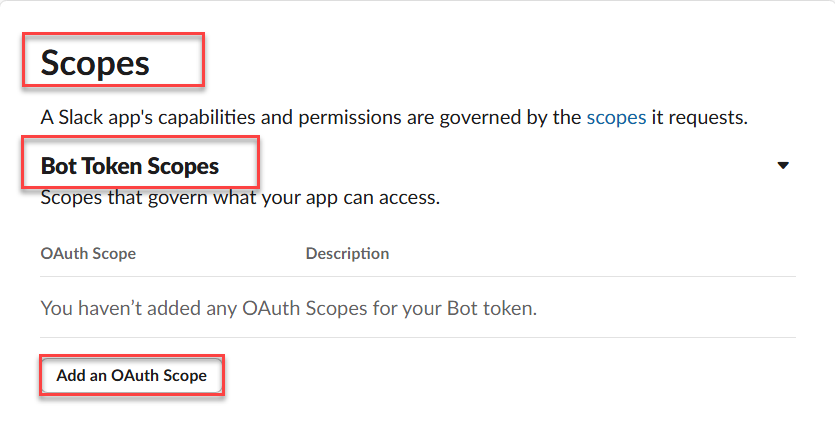
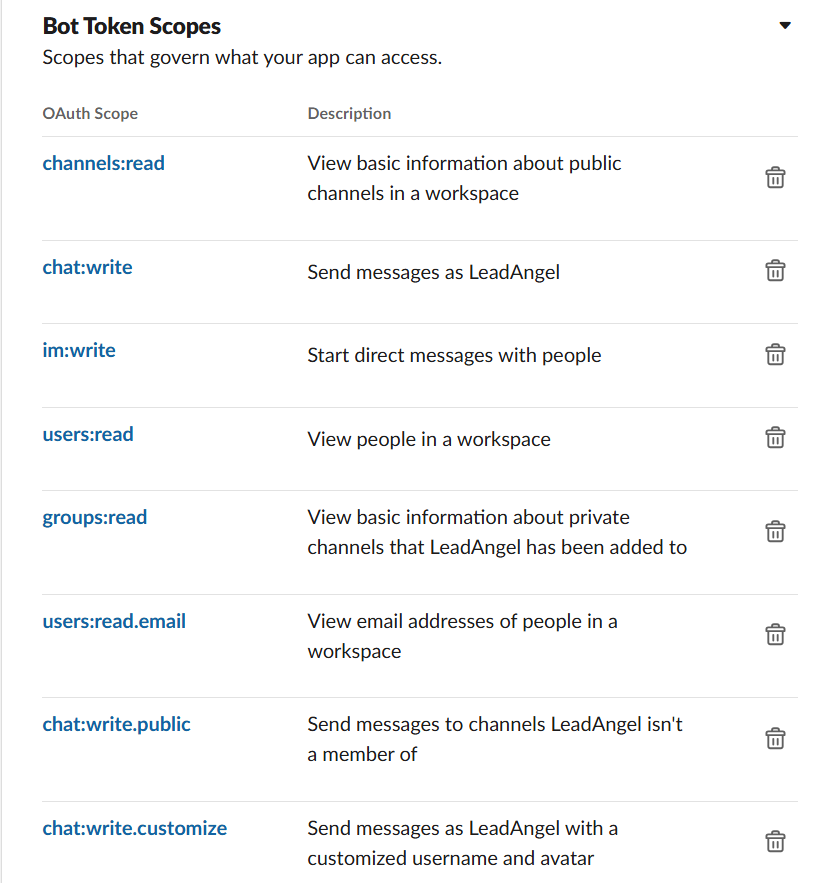
- In the left menu, go to OAuth & Permissions → Scroll to Bot Token Scopes under Scopes and add these scopes:
Scope Purpose channels:readView public channels chat:writeSend messages as LeadAngel im:writeStart direct messages users:readView user info groups:readView private channels users:read.emailRead user emails chat:write.publicSend messages to public channels chat:write.customizeSend messages with custom username/avatar
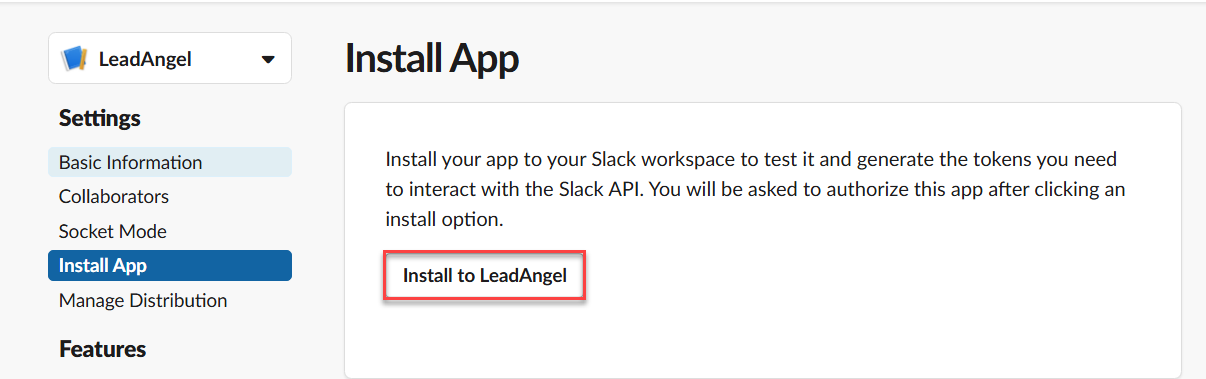
2. Once added, click Install App → Install App to Workspace → Allow.
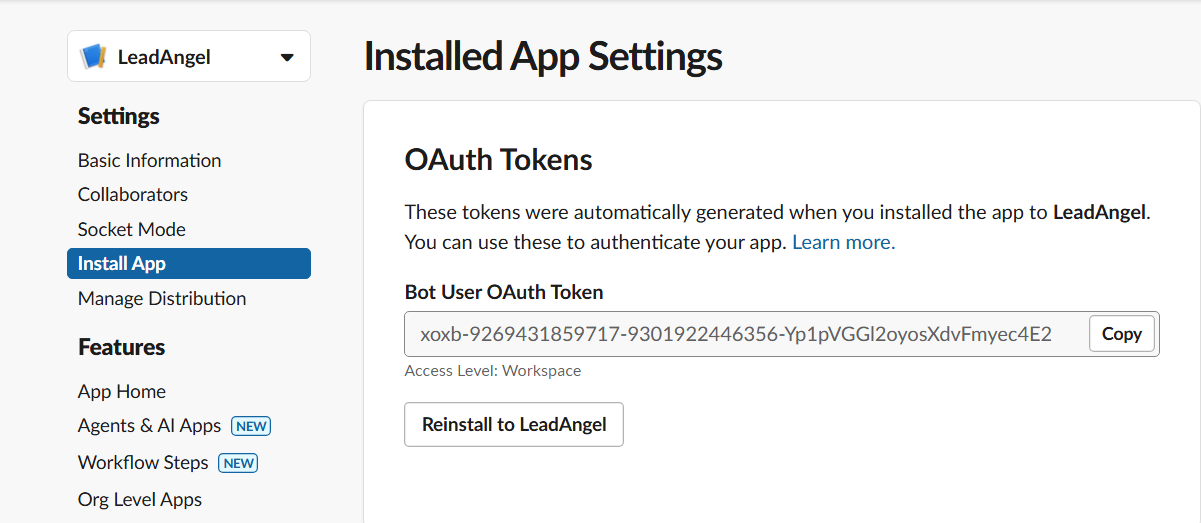
3. After Installing the app, copy the Bot User OAuth Token
¶ Step 4: Connect Slack in LeadAngel
Go to app.leadangel.com > Administration > Integrations > Slack Integration > Connect Slack
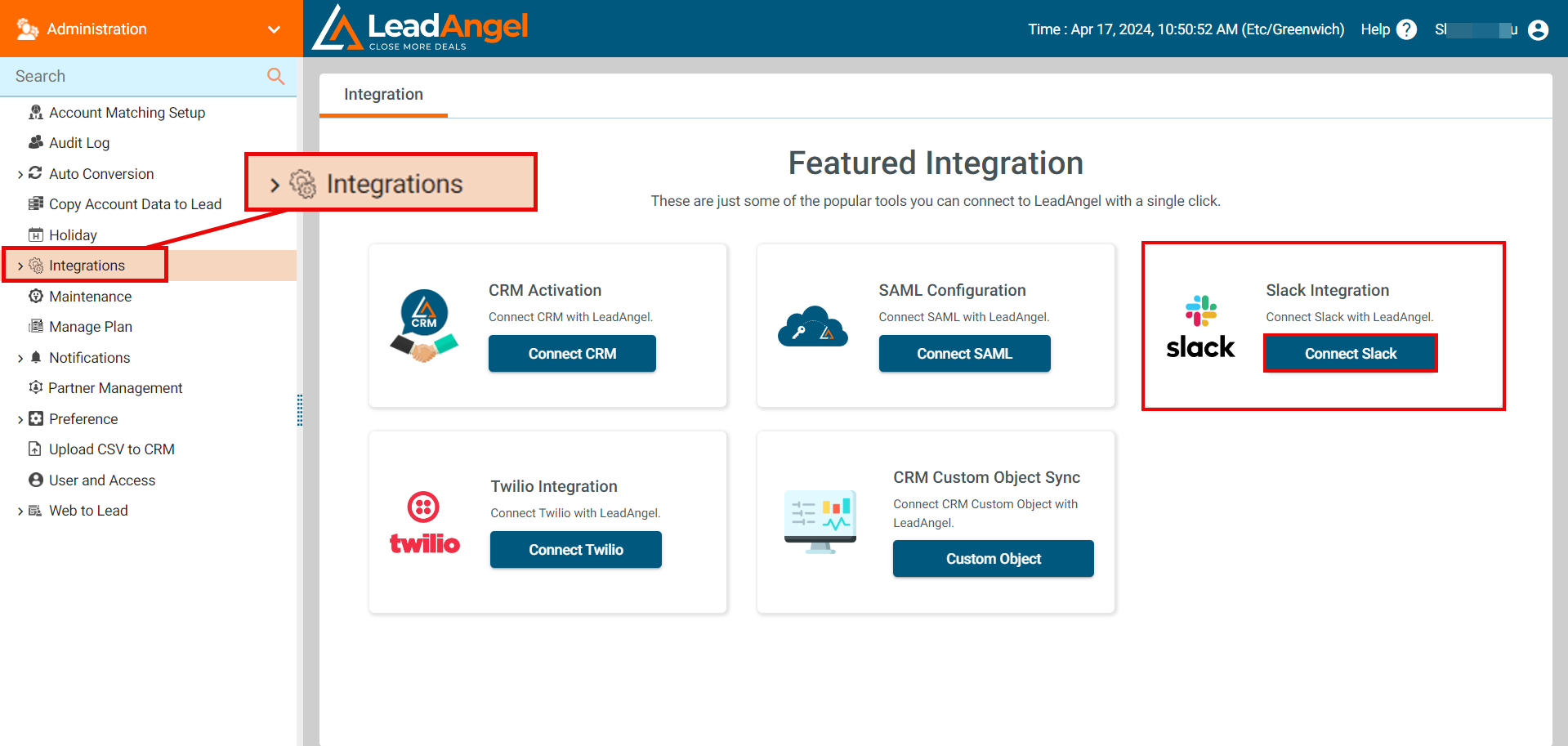
- In LeadAngel, go to Administration → Partner Apps → Slack.
- Paste the Bot User OAuth Token.
- In the Salesforce Field, select the Salesforce User field from the Slack Field Mapping area to find the appropriate Slack Users. Typically, this will just be the user's username or email.
- (Optional) Check "Send Slack notifications to both public and private channels".
- Click Connect.
Slack is now integrated. Assigned users will instantly receive Slack notifications when a lead or contact is routed to them.