¶ Overview
¶ What is Account Matching Setup?
Account Matching Setup is where you define the rules used to match incoming leads to existing accounts in LeadAngel.
¶ Where can I find Account Matching Setup?
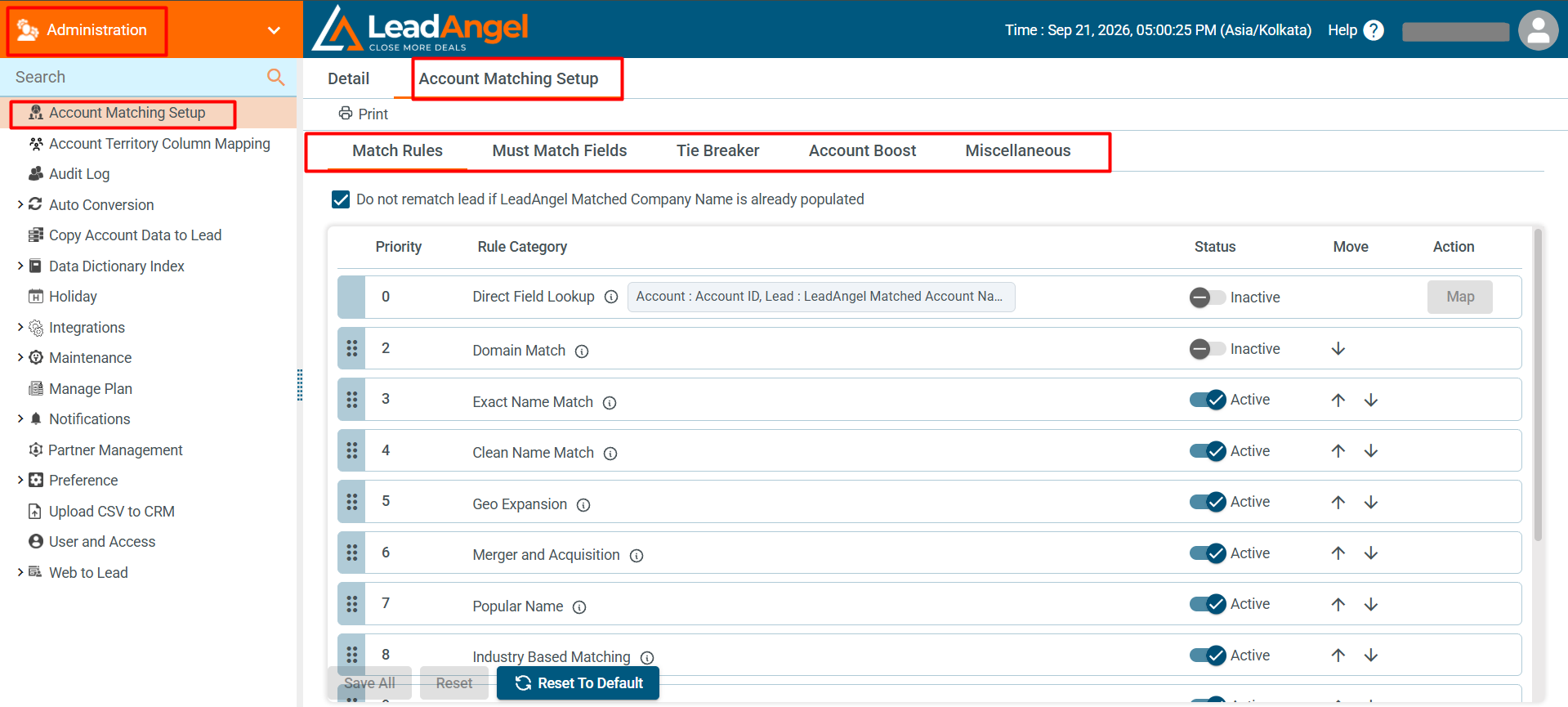
Go to: Administration > Account Matching Setup
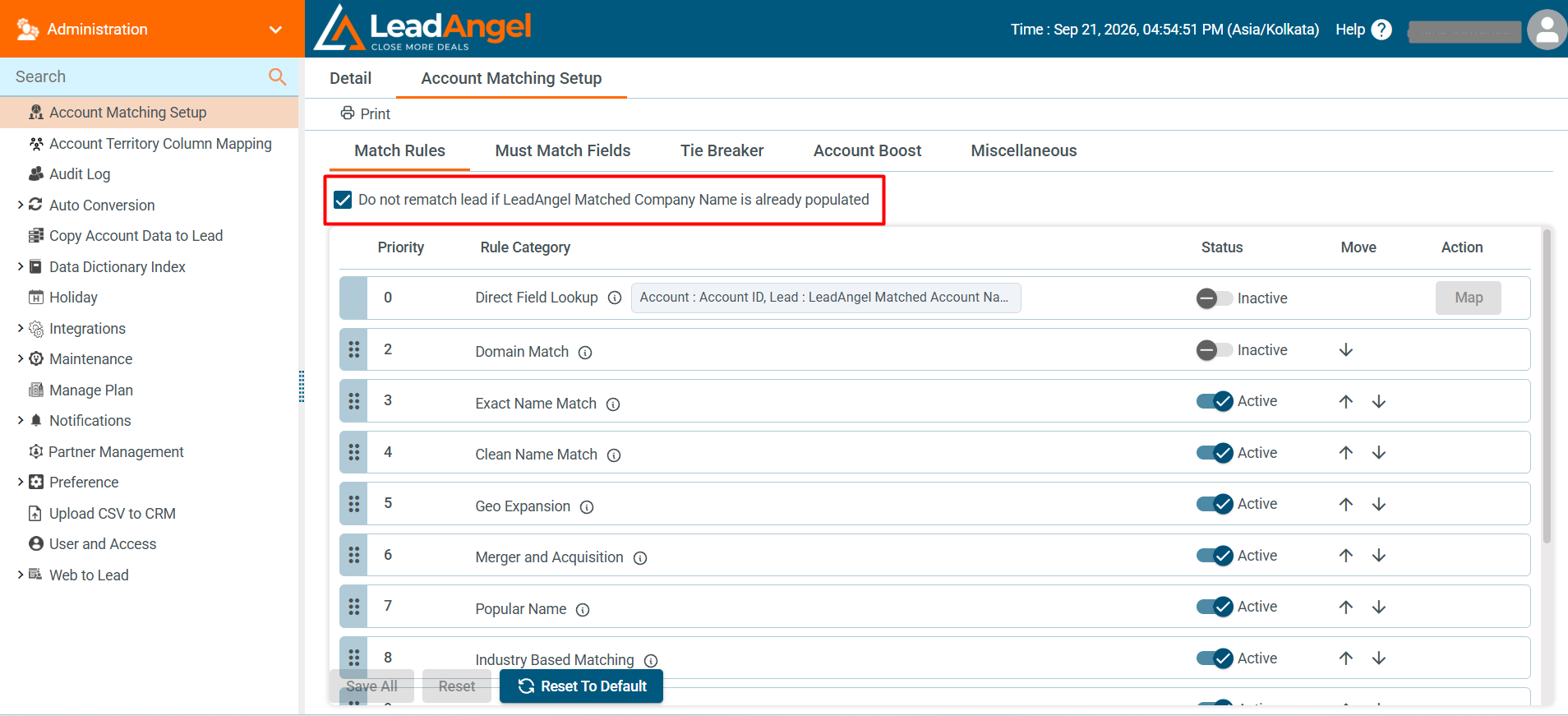
- Do not rematch lead if LeadAngel Matched Company Name is already populated prevents leads from being matched again when the field already has a value.
- Leads are matched as usual when LeadAngel Matched Company Name is empty.
- The option is enabled by default to prevent unnecessary rematching.
¶ What can I configure on this page?
You can manage and prioritize different rule categories that help in matching leads to the right accounts.
¶ What are the main tabs available?
- Match Rules: Set and prioritize matching rules.
- Must Match Fields: Define fields that must match for a record to qualify.
- Tiebreaker Rule: Decide how to resolve matches with the same score.
- Account Boost: Boost specific accounts in the match logic.
- Miscellaneous: Additional options for fine-tuning.
¶ How do I change the rule priority?
Use the up and down arrows in the "Move" column to reorder rules by priority.
¶ How do I activate or deactivate a rule?
Toggle the Status switch next to each rule.
¶ What actions can I take?
- Save All: Apply your changes
- Reset: Undo unsaved changes
- Reset to Default: Restore default settings