A Weighted Sales Team distributes leads unevenly among sales reps based on assigned weight. Each rep’s weight reflects their workload, skills, experience, availability, or capabilities.
¶ Key Features
🔹Multiple Teams and Assignments – You can create multiple Weighted Sales Teams and use them in various assignment blocks. A single Weighted Sales Team can also work across multiple assignment blocks.
🔹Weight Assignment – Each sales rep can have a weight between 1 and 999. The system normalizes these values and assigns leads based on the defined proportion during routing.
🔹Automatic Skipping – The router automatically skips inactive or unavailable sales reps when assigning leads.
¶ Steps to Create a Weighted Sales Team
1. Log in to LeadAngel
- Go to app.leadangel.com
- Open any Object Management tile like Lead Management or Contact, Account, or Opportunity Management.
- Navigate to Lead Management > Sales Team > Weighted Sales Team
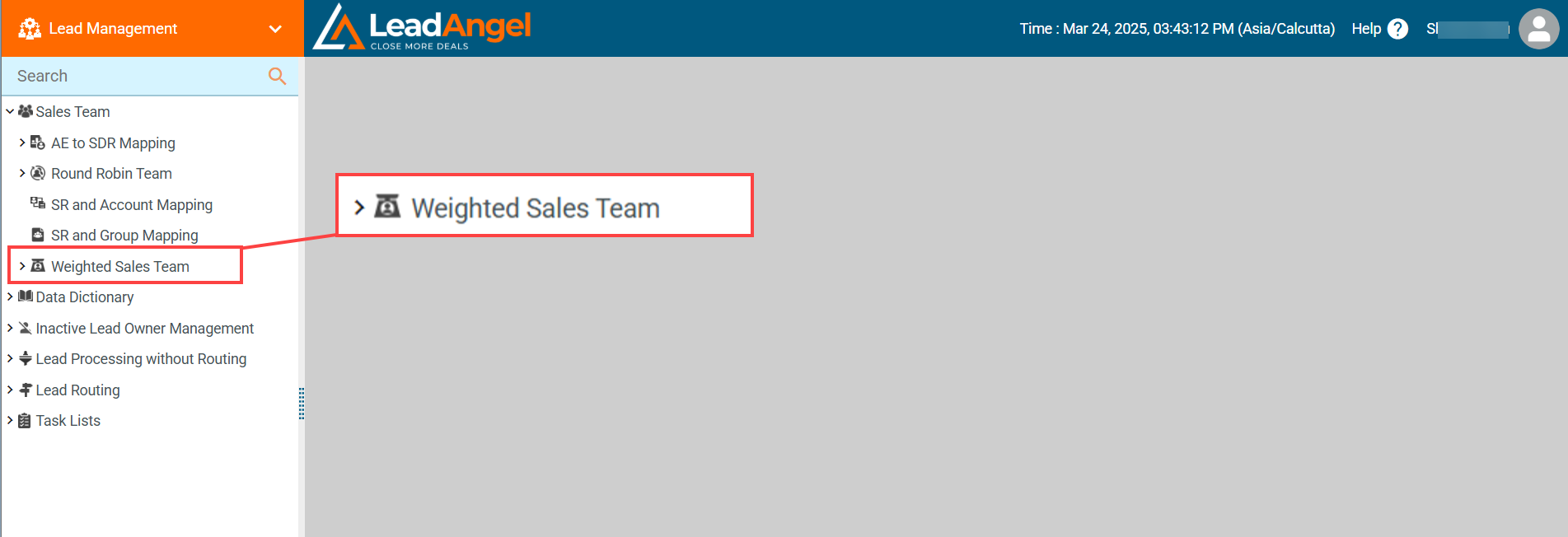
2. Create a New Weighted Sales Team
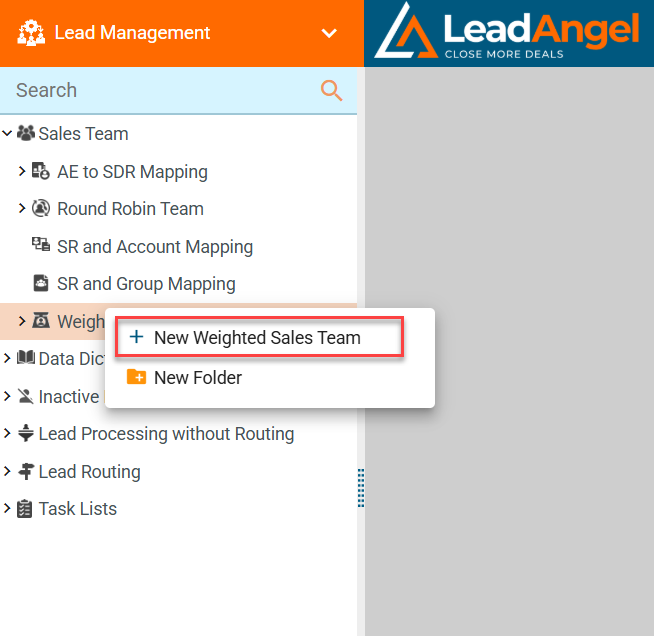
- Right-click on Weighted Sales Team and select + New Weighted Sales Team.
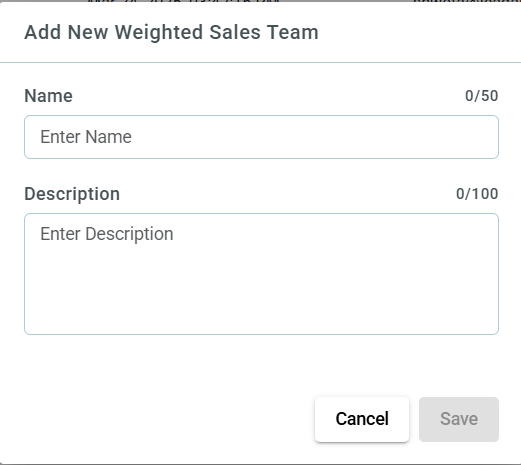
- In the dialog box, enter a unique team name and a brief description, then click Save.
3. Add Sales Reps
- In the Sales Rep section, drag and drop the Sales Rep field into the ADD FIELDS section.
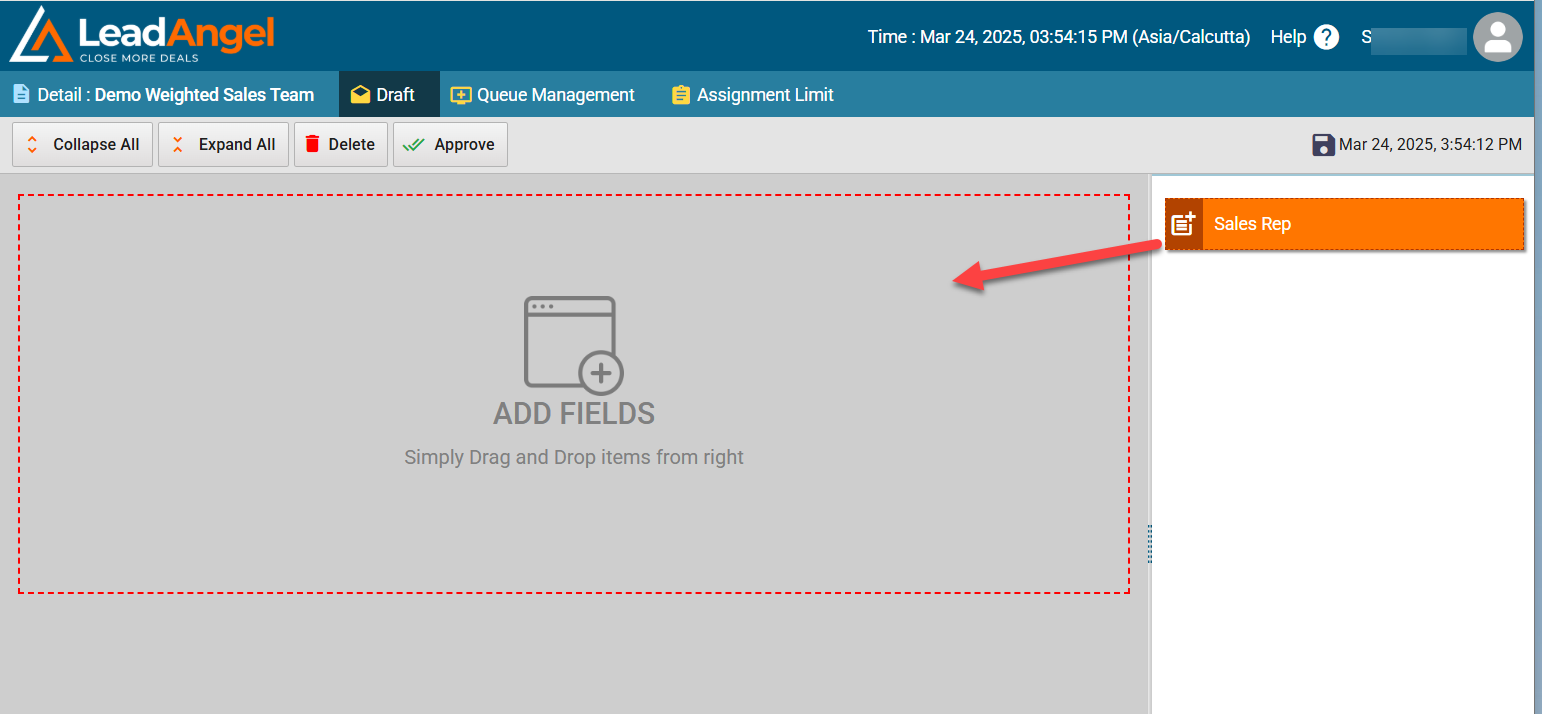
- Select the rep’s name from the dropdown list and assign a weight between 1 and 999.
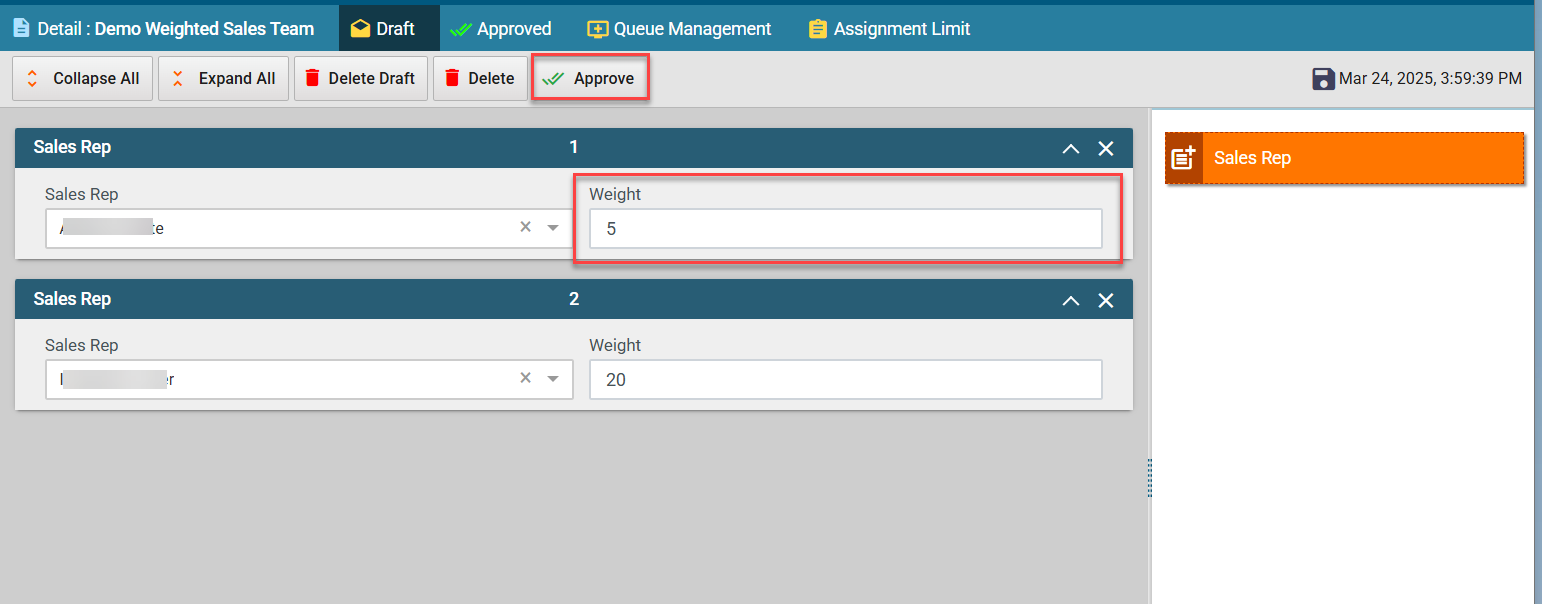
- The system assigns leads proportionally based on the weight.
For example, if Rep A has a weight of 100 and Rep B has a weight of 10, for 11 leads, Rep A will get 10, and Rep B will get 1.
- If two reps have the same weight, the system assigns the lead to the first rep in the sequence.
- When modifying a team, weight calculations reset to zero.
- The system maintains a queue position for each rep. New reps are added to the bottom of the queue.
The Roster Sequence in the weighted sales team is maintained for every sales rep who is part of the team. Every salesperson has a queue position and no two Sales reps have the same queue position.
When the Sales Team is created or modified in a weighted round-robin form:
- The system will assign the lead to the first team member in the queue and then calculate the weightage of each team member before assigning the next lead to any member of the team. Therefore, the roster sequence may change every time a lead is assigned to the sales rep.
- When a sales team member is deleted, the record is removed from the sales team table.
- When a new member is added, it is added to the bottom of the queue.
3. Set the Queue Owner
- Click Detail tab to set Queue Owner.
4. Manage Queue Settings
- Click on the Queue Management tab.
5. Set Assignment Limits
- Click on the Assignment Limit tab to set assignment limits.
6. Check Assignment History Report
- Click on the Assignment History Report
7. Right-click the team name and select Approve or click the Approve button at the top.